
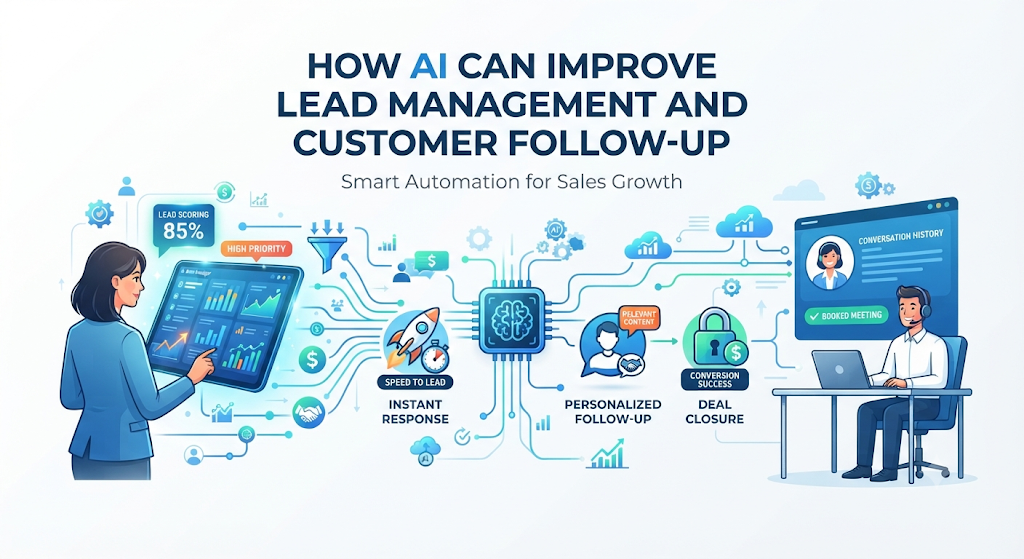
Introduction
Imagine a potential customer visits your website at 9:00 PM, fills out a contact form, and asks about your pricing. If your sales team does not see that message until the next morning, there is a high chance that buyer has already contacted two of your competitors.
In business, delayed replies are one of the biggest reasons sales disappear. At the same time, sales teams often drown in low-quality inquiries, forget to send second or third follow-up messages, and waste hours updating software records by hand.
Many business owners hear that artificial intelligence can fix these problems, yet the technology often sounds confusing or overly complex. Terms like predictive modeling and natural language processing can make simple tools seem intimidating.
In this guide, you will learn how AI lead management and customer follow-up actually work in plain English. We will explore the core concepts, realistic examples, hidden costs, common mistakes, and practical steps to decide if this approach fits your business.
Basic Concepts: Understanding the Building Blocks
Before looking at advanced workflows, it helps to understand four core industry terms that power modern sales automation.
1. Lead
- Simple Meaning: A person or company that has shown interest in what you sell, such as by downloading a guide, asking a question, or requesting a quote.
- Why It Matters: Leads are the raw material of your sales process. Without a steady flow of leads, a business cannot grow.
- Example: A store owner fills out a form on your website asking for a demo of your accounting software. That store owner is now a lead.
2. Customer Relationship Management (CRM)
- Simple Meaning: A central digital database where a business stores all customer contact details, past emails, phone calls, and purchase history.
- Why It Matters: A CRM acts as the memory of your business. When AI connects to your CRM, it uses this stored history to make smart decisions.
- Example: Software like HubSpot, Salesforce, or Zoho CRM where a salesperson checks when a client was last contacted.
3. Lead Decay
- Simple Meaning: The rapid drop in a lead’s interest as time passes after they first contact you.
- Why It Matters: A buyer’s excitement is highest the exact minute they ask a question. Every hour of silence makes them less likely to reply or buy.
- Example: Someone searching for emergency plumbing repair will hire the first company that answers within five minutes, not the one that emails back tomorrow.
4. Speed-to-Lead
- Simple Meaning: The exact amount of time it takes for your business to respond after a potential customer reaches out.
- Why It Matters: Faster replies show professionalism and catch buyers while they are actively thinking about solving their problem.
- Example: An automated system that texts a prospect ten seconds after they submit a quote request achieves a ten-second speed-to-lead.
What Is AI Lead Management and Customer Follow-Up?
AI lead management and customer follow-up is the practice of using machine learning and language software to handle the early and middle stages of talking to potential buyers.
Traditional software relies on rigid rules—for example, “If someone clicks a link, send Email B.” If the customer replies with an unexpected question, basic automation breaks down and stops working.
AI-powered systems work differently. They look at patterns in customer behavior, read the actual words a prospect writes, and adapt their next move based on what the buyer seems to want. It combines two main functions:
- Lead Management: Capturing incoming contacts, removing duplicate entries, guessing how likely each person is to buy, and assigning them to the right salesperson.
- Customer Follow-Up: Writing, timing, and sending messages across email, text, or website chat, and adjusting those messages when the customer replies.
How AI Lead Management Works Step by Step
To understand what happens behind the scenes, let us trace the journey of a single lead from the moment they interact with your business.
Step 1: Data Capture and Enrichment
When a prospect submits an email address on your site, AI tools immediately scan public business databases to fill in missing details. This is called Data Enrichment—the automatic addition of useful background facts like company size, job title, or industry. Instead of forcing customers to fill out a 15-question form, you ask for an email address and let the software find the rest.
Step 2: Predictive Lead Scoring
Predictive Lead Scoring is a method where AI studies your past sales history to figure out which traits belong to people who actually buy. It assigns every new lead a number, often from 1 to 100.
- Why It Matters: Salespeople have limited hours in a day. Scoring stops them from spending three hours chasing a student doing school research while ignoring a company director ready to sign a contract.
- Example: If past data shows that managers from manufacturing companies who visit your pricing page three times usually buy, the AI gives a new lead matching that profile a score of 92.
Step 3: Intelligent Lead Routing
Lead Routing is the automatic assignment of a lead to a specific salesperson. Traditional systems assign leads in a simple rotation (Person A, then Person B, then Person C). AI routing looks at who is currently online, who speaks the customer’s language, and which salesperson has the best track record closing deals in that specific industry.
Step 4: Conversational Follow-Up
Using Natural Language Processing (NLP)—technology that allows computers to read and write human-like text—the system sends an initial message tailored to what the lead looked at. If the lead replies, “We need this for 50 employees, does it work with Slack?”, the AI understands the question, checks your approved product documents, answers clearly, and offers a calendar link to book a call.
Step 5: Sentiment Analysis and Escalation
Sentiment Analysis is the AI’s ability to detect emotion or tone in written text, such as frustration, urgency, or confusion. If a prospect writes an angry email or asks for complex custom pricing, the AI stops automating replies and immediately alerts a human manager to step in.
Why This Approach Matters for Modern Businesses
Manual follow-up fails largely because humans get busy, tired, or distracted. Most sales require multiple touchpoints—often five or more follow-up messages—before a customer agrees to a meeting or purchase. Yet in real-world operations, many salespeople stop following up after one or two attempts because manual tracking takes too much effort.
AI solves the consistency problem. It never forgets to check back in three days later, never takes a lunch break when a hot lead arrives, and can handle five hundred conversations at the exact same second without getting overwhelmed.
Traditional Automation vs. AI-Driven Follow-Up
Many businesses already use basic email autoresponders. Understanding the difference between older rule-based tools and modern AI helps clarify when an upgrade makes sense.
| Feature | Traditional Rule-Based Automation | AI-Powered Lead Management & Follow-Up |
| How Decisions Are Made | Follows strict “If This, Then That” rules set manually by staff. | Learns from past customer behavior and adjusts automatically. |
| Message Content | Uses fixed templates with basic name tags (e.g., Hi [First Name]). | Writes or adapts text based on the customer’s industry, behavior, and questions. |
| Handling Replies | Usually stops or forwards all replies to a general inbox. | Reads replies, answers basic questions, and books meetings on calendars. |
| Timing of Messages | Sends emails on a rigid schedule (e.g., every Tuesday at 10 AM). | Predicts when each individual person usually opens emails and sends them then. |
| Setup & Maintenance | Easier to set up initially, but requires manual updates as rules grow. | Requires clean historical data and testing, then improves over time. |
Practical Examples in Everyday Business
Example 1: A Local Home Renovation Company (Small Business)
A small remodeling contractor runs online ads. Previously, homeowners filled out forms on weekends, and the owner called them back on Monday afternoon—often finding they had already booked quotes with faster competitors.
By adding an AI chat and text assistant connected to their calendar:
- When a homeowner requests a kitchen remodel quote on Sunday morning, the AI replies via text within 15 seconds.
- It asks three simple qualifying questions: zip code, rough project size, and target start date.
- If the home is outside their service area, the AI politely lets the homeowner know.
- If the project is a good fit, the AI offers open time slots on the contractor’s Tuesday calendar and books the visit automatically.
Example 2: A B2B Software Company (Mid-Sized Sales Team)
A company selling logistics software receives 2,000 website sign-ups every month. Only 10% are serious buyers; the rest are students, competitors, or tiny businesses that cannot afford the software.
Using AI lead scoring and automated email sequences:
- The AI scans company domains and website behavior to identify the top 200 high-value leads.
- Those 200 leads are routed straight to senior sales reps within minutes, complete with a short AI-written summary of which pages the buyer visited.
- The remaining 1,800 lower-scoring leads receive helpful, automated educational emails over six weeks. If one of those leads suddenly clicks the pricing page four times, the AI raises their score and alerts a salesperson immediately.
When Should You Use AI—and When Should You Not?
AI is a powerful tool, but it is not the right fit for every situation. Knowing when to hold back saves money and protects customer relationships.
When It Works Best
- High Lead Volume: You receive more inquiries each week than your team can comfortably answer within five minutes.
- Repetitive Early Questions: Customers frequently ask the same basic questions about pricing, availability, shipping, or features before buying.
- Long Sales Cycles: Buyers often take weeks or months to decide and need gentle, helpful check-ins over time.
- Multi-Channel Inquiries: Leads contact you across website chat, email, WhatsApp, and social media, making manual tracking messy.
When You Should NOT Use It
- Very Low Lead Volume: If your business only gets five high-ticket inquiries a month, a human should handle every single one personally from start to finish.
- Sensitive or Delicate Situations: Industries involving medical emergencies, legal crises, grief, or major financial distress require genuine human empathy, not automated chat.
- Broken Sales Processes: If your team does not know who their ideal customer is or lacks clear pricing and product information, AI will only automate confusion faster.
Common Mistakes Beginners Make
Even good software fails when used poorly. Here are four frequent mistakes businesses make when introducing AI to their sales workflow.
1. Automating Bad Data (“Garbage In, Garbage Out”)
- What People Do: They connect an AI lead-scoring tool to a messy CRM full of outdated phone numbers, duplicate contacts, and missing deal outcomes.
- Why They Do It: They assume the AI will automatically clean up years of messy record-keeping.
- Why It Causes Problems: Predictive AI learns from your past records. If your CRM does not accurately show which past leads actually paid you, the AI will learn the wrong patterns and score bad leads highly.
- What to Do Instead: Clean up your past 6 to 12 months of customer records first. Remove duplicates and verify that closed deals are clearly marked before turning on predictive scoring.
2. Hiding the Fact That the Assistant Is AI
- What People Do: They give a chatbot a human name and photo and try to trick customers into thinking they are talking to a live person.
- Why They Do It: They worry customers will ignore a bot.
- Why It Causes Problems: When the AI misunderstands a complex joke or technical question, the customer feels lied to, which destroys trust instantly.
- What to Do Instead: Introduce the assistant honestly as an automated helper (e.g., “Hi, I’m Cotocus’s automated assistant—I can help answer quick questions or connect you with a specialist”). People appreciate fast, honest help.
3. Over-Messaging Leads (“Spamming at Scale”)
- What People Do: Because AI makes writing emails effortless, teams set up sequences that send messages every single day across email, SMS, and LinkedIn.
- Why They Do It: They confuse high activity with effective selling.
- Why It Causes Problems: Leads mark your emails as spam, block your phone number, and your email domain gets penalized by providers like Google and Microsoft—meaning even your important manual emails land in junk folders.
- What to Do Instead: Cap follow-ups at a respectful pace (for example, 4 to 6 messages spread over 3 to 4 weeks) and ensure every message offers something useful, not just “Checking in again.”
4. Removing Human Review Completely
- What People Do: They turn on full AI reply generation and never read the conversations the system is having with prospects.
- Why They Do It: They want a completely “hands-off” system.
- Why It Causes Problems: Small errors in product details or awkward phrasing can go unnoticed for months, quietly costing deals.
- What to Do Instead: Have a sales manager review 10 to 15 AI-handled conversations every week to catch awkward replies and improve the system’s instructions.
Risks, Failure Modes, and Security Considerations
When you let software read customer data and send public messages on behalf of your company, real operational risks appear.
Risk 1: AI Hallucinations
- What It Is: A Hallucination happens when an AI language model invents false facts, fake discounts, or nonexistent product features while sounding completely confident.
- Why It Matters: If an AI promises a customer a 30% discount or a feature your software does not have, your business faces angry customers and potential legal disputes.
- How to Reduce It: Restrict the AI using Retrieval-Augmented Generation (RAG)—a setup that forces the AI to answer only using approved company documents and pricing sheets you upload, rather than guessing from the open internet.
Risk 2: Data Privacy and Compliance Violations
- What It Is: Sending customer names, emails, and private messages into unapproved AI tools or texting people without clear permission.
- Why It Matters: Laws like GDPR in Europe, CCPA in California, and anti-spam rules carry heavy fines if personal data is mishandled or used to train public AI models without consent.
- How to Reduce It: Use business-grade CRM tools that guarantee your customer data is encrypted and never used to train outside public models. Always include clear unsubscribe links and obtain permission before sending automated text messages.
Risk 3: Integration Breakdowns
- What It Is: A silent technical disconnect between your website form, your AI tool, and your CRM after a software update.
- Why It Matters: Leads submit forms, no one gets notified, and your business loses weeks of inquiries before anyone notices.
- How to Reduce It: Set up automated weekly test leads (submitting a test form yourself every Monday) to verify that the entire chain from form to follow-up works properly.
Cost and Practical Reality
The true cost of AI lead management goes beyond the monthly software subscription. Before buying, factor in three areas:
- Software Licensing: Basic AI features inside existing CRMs (like HubSpot, Salesforce, or Pipedrive) often require higher-tier plans, typically adding $50 to $500+ per month depending on team size and contact volume. Standalone AI chat or voice tools often charge based on the number of conversations or messages sent.
- Setup and Data Cleanup: Expect to spend 10 to 30 hours organizing customer records, writing clear frequently asked questions for the AI to reference, and testing message flows before launch.
- Ongoing Maintenance: Whenever you change prices, launch a new service, or update policies, someone must update the AI’s knowledge base. Without regular updates, the AI will give customers outdated information.
A Simple 6-Step Decision Framework
If you are considering adding AI to your lead management and follow-up process, walk through these six steps before buying software:
- Step 1: Find Your Biggest Bottleneck. Check where you currently lose leads. Are you replying too slowly? Are reps wasting time on unqualified leads? Or do reps forget to follow up after the first call? Fix the biggest leak first.
- Step 2: Audit Your Existing Tools. Check what AI features your current CRM or email platform already includes. Using built-in tools avoids complicated integrations.
- Step 3: Clean Your Customer Data. Spend a few days removing duplicate contacts and standardizing how lead sources and deal results are recorded.
- Step 4: Start with One Narrow Use Case. Do not automate everything at once. Start with one clear task, such as instant website chat qualification or automated follow-up emails for leads who requested a brochure.
- Step 5: Set Clear Guardrails. Define exactly what the AI can say, what discounts it cannot offer, and which trigger words immediately transfer the conversation to a human.
- Step 6: Measure Results After 30 Days. Compare your speed-to-lead, reply rates, and booked meetings against the previous month to verify whether the system is actually helping.
Pre-Launch Verification Checklist
Before turning on automated AI follow-ups for real customers, verify these essential points:
- Data Hygiene: Duplicate leads are merged, and past won/lost deals are accurately labeled.
- Knowledge Base Accuracy: Pricing, service hours, and product details uploaded to the AI match your current website.
- Human Handoff Rules: Requests for custom pricing, complaints, or complex questions immediately alert a live salesperson.
- Tone Check: Test messages read naturally, avoid overly pushy language, and match your brand voice.
- Opt-Out Compliance: Every automated email and text message includes a working way for the customer to stop future messages.
- End-to-End Test: A test lead submitted through your live website triggers the right score, routes to the right person, and receives an accurate follow-up within the expected time.
Key Terms to Remember
- CRM (Customer Relationship Management): Central software used to store customer details and track every interaction a business has with them.
- Data Enrichment: Automatically adding missing background details (like company size or job role) to a lead’s profile using outside databases.
- Hallucination: An error where an AI generates false or made-up information while presenting it as fact.
- Lead Decay: The rapid drop in a buyer’s interest as minutes and hours pass after their initial inquiry.
- Lead Routing: The process of automatically assigning an incoming lead to the most suitable salesperson.
- Natural Language Processing (NLP): Technology that allows software to read, understand, and write human language naturally.
- Predictive Lead Scoring: Using historical data and machine learning to rank leads based on how likely they are to buy.
- Retrieval-Augmented Generation (RAG): A technique that limits an AI to answering questions using only your verified company documents.
- Sentiment Analysis: Detecting whether a customer’s message sounds positive, neutral, urgent, or frustrated.
- Speed-to-Lead: The time elapsed between a customer reaching out and your business sending its first response.
Frequently Asked Questions (FAQs)
1. Will AI replace human salespeople?
No. AI handles repetitive administrative tasks like data entry, sorting leads, answering basic questions, and scheduling calls. Human salespeople are still essential for building trust, understanding complex problems, negotiating custom deals, and closing high-value sales.
2. How much historical data is needed for AI lead scoring to work?
Most predictive scoring tools need at least a few hundred past leads—including both deals you won and deals you lost—to spot reliable patterns. If your business is brand new with very little history, start with simple rule-based scoring (such as giving points when someone visits your pricing page) until you collect enough data.
3. Can small businesses benefit from AI follow-up, or is it only for large companies?
Small businesses often see the biggest immediate benefit because small teams cannot monitor phones and inboxes 24 hours a day. Even a simple AI scheduling assistant can prevent a solo business owner from losing weekend or evening inquiries to competitors.
4. How do I stop AI follow-up messages from sounding robotic?
Feed the AI real examples of well-written emails your best salespeople have sent in the past. Keep messages short, focus on answering the customer’s specific question, and avoid buzzwords or overly formal greetings.
5. What happens if a customer asks the AI a question it does not know how to answer?
A properly configured system will recognize when a question is outside its approved knowledge base. Instead of guessing, it should say something honest like, “Let me have one of our specialists check on that for you,” and notify a human team member.
6. Does AI follow-up hurt email deliverability?
Only if used carelessly. Sending thousands of identical messages to unverified email lists will trigger spam filters. Sending timely, relevant replies to people who actively requested information on your website actually improves deliverability because recipients open and reply to those messages.
7. How quickly can a business set up basic AI lead follow-up?
If you already use a modern CRM with built-in AI features, a basic automated qualification and follow-up workflow can be set up and tested in a few days. Connecting multiple custom tools across complex enterprise teams usually takes several weeks.
8. How can I measure if my AI lead management is actually working?
Track four clear numbers before and after launch: your average speed-to-lead (in minutes), the percentage of leads that reply to follow-ups, the number of qualified meetings booked, and the final conversion rate from lead to paying customer.
Conclusion
AI lead management and customer follow-up work best when treated as a reliable assistant rather than a complete replacement for human judgment. By responding to inquiries within seconds, scoring leads based on real buying signals, and maintaining consistent follow-up schedules, AI solves the everyday operational gaps that quietly cost businesses revenue.
At the same time, technology cannot fix unclear messaging, messy customer records, or a lack of genuine care for the buyer. Start small, keep your customer data clean, set strict boundaries so the AI never guesses pricing or policies, and ensure a human can step in whenever a conversation requires real empathy. When speed, consistency, and human expertise work together, far fewer opportunities slip away.
