
Introduction
Building a custom web application is exciting. You have a unique business idea, a clear vision of how it will help users, and a team ready to write code. But building software from scratch is also risky. Many projects stall halfway through, run out of money, or launch only to discover that the final product does not solve the problem it was designed for.
These failures rarely happen overnight. They build up slowly through small miscommunications, changing requirements, and skipped testing steps. Understanding why these problems happen helps you spot warning signs early. This guide covers the common traps in custom web development and gives you practical ways to keep your project on track, on budget, and valuable to your users.
What Is a Custom Web Application Project?
A custom web application is software built specifically for a business or organization, running inside a web browser. Unlike off-the-shelf software—like standard email tools or pre-made content management systems—a custom app is tailored to unique workflows, internal data structures, or specific customer experiences.
Why It Matters
Off-the-shelf software forces your business to adapt to how the software works. A custom web application adapts to how your business works. It gives you full control over features, security, and user experience.
Example
A local restaurant chain could use standard reservation software. However, if they want a system that combines online ordering, loyalty points, kitchen inventory tracking, and delivery driver dispatch into one screen, they need a custom web application.
How Custom Web Development Projects Work
A custom web application goes through several distinct stages from idea to launch. Understanding this lifecycle helps you manage expectations and spot delays before they become crises.
- Discovery and Planning: Defining the purpose of the application, identifying the target users, and listing the required features.
- Design: Creating wireframes and visual layouts to show how users will navigate the application.
- Development: Writing the front-end code (what users see) and back-end code (databases, servers, and logic).
- Testing: Checking the application for bugs, security flaws, and performance issues across different devices.
- Deployment: Launching the application on live servers so real users can access it.
- Maintenance: Fixing bugs, updating security patches, and adding new features based on user feedback.
Why Custom Web Application Projects Fail
Project failure rarely points to a single mistake. Most failed projects suffer from a combination of poor planning, shifting goals, and disconnects between the business side and the technical team.
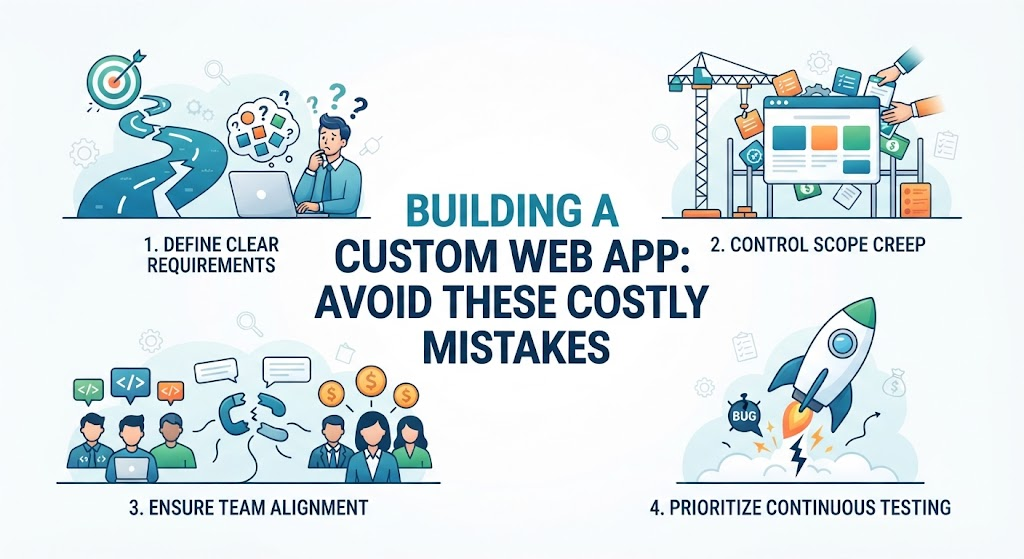
Scope Creep
Scope creep happens when new features are constantly added to a project without adjusting the budget or timeline. What starts as a simple booking app slowly turns into a chat platform, a billing system, and an analytics dashboard.
- Why it happens: Stakeholders think of new ideas mid-development and assume adding them will be easy.
- The result: Deadlines get pushed back, budgets run dry, and the core product gets delayed indefinitely.
Unclear Requirements
If the development team does not know exactly what the software needs to do, they have to guess. Developers will build what they think makes sense, which often differs from what the business owner wants.
- Why it happens: Rushing through the planning stage to start writing code quickly.
- The result: The team spends weeks building a feature, only for the business owner to reject it because it works the wrong way.
Poor Communication
Software development involves many different people—business owners, project managers, designers, front-end developers, back-end developers, and testers. If information gets trapped in silos, mistakes multiply.
- Why it happens: Relying on informal chats instead of documented project updates, or failing to include end-users in review sessions.
- The result: Teams duplicate work, fix the wrong bugs, or build features that contradict each other.
Important Factors to Avoid Failure
Keeping a project alive and healthy requires discipline and the right framework. Focus on these core areas to protect your investment.
Define an MVP (Minimum Viable Product)
Do not try to build every single feature on day one. An MVP is the simplest version of your application that still solves the main problem for your users.
- Why it matters: It lets you launch faster, spend less money upfront, and test your core idea with real users before adding complex features.
Manage Scope Strictly
Create a formal document that lists every feature included in the project. If someone wants to add a new feature later, treat it as a separate phase or trade it for an existing feature of equal size.
Prioritize Testing Early and Often
Testing is not something you do at the very end of a project. Developers should write automated tests alongside their code, and users should test new features as soon as they are built.
- Why it matters: Fixing a bug during the design or early coding phase is cheap and fast. Fixing that same bug after the application is live can be expensive and disruptive.
Common Mistakes to Avoid
| Common Mistake | Why It Happens | Why It Causes Problems | What to Do Instead |
| Skipping wireframes | Wanting to save time before coding. | Developers build the wrong interface, leading to costly redesigns. | Create clickable mockups and get approval before writing any code. |
| Choosing technology based on hype | Using trendy tools because they sound impressive. | Your team lacks experience with the tool, leading to delays and bugs. | Choose stable, proven technologies that your development team knows well. |
| Ignoring security until the end | Treating security as an afterthought. | Major vulnerabilities get exposed, risking user data and company reputation. | Build security rules into your database and application logic from day one. |
| No user feedback loops | Assuming you know what users want. | You build a polished app that nobody actually wants to use. | Show working prototypes to real users every few weeks and adjust based on feedback. |
Decision-Making Framework: How to Keep Your Project on Track
Use this simple step-by-step framework when making major project decisions:
- Identify the Business Goal: Ask yourself: Does this feature directly help our users solve their problem or help our business grow? If the answer is no, skip it.
- Check the Cost and Time: Ask your technical team how long the feature will take to build and test. Compare that time against your deadline and budget.
- Evaluate Risks: What happens if this feature breaks? Does it connect to sensitive data or payment systems? Make sure you have a fallback plan.
- Build and Measure: Implement the feature in a test environment, review it with stakeholders, and test it with real users before pushing it to the live application.
Checklist for Project Success
- Have you written down a clear description of the core problem the app solves?
- Is your MVP feature list locked in and agreed upon by all stakeholders?
- Do you have wireframes or mockups of every major screen?
- Have you chosen a technology stack your developers are comfortable using?
- Is there a weekly communication schedule between the business side and the technical team?
- Have you planned time for security reviews and bug testing?
- Do you have a hosting and maintenance plan ready for after the launch?
Key Terms
- Front-End: The visual part of a web application that users see and interact with in their web browser.
- Back-End: The behind-the-scenes part of an application that handles databases, server logic, and user authentication.
- Scope Creep: The uncontrolled expansion of a project’s scope without adjustments to time, budget, or resources.
- MVP (Minimum Viable Product): The most basic version of a product that still provides enough value to satisfy early customers.
- Wireframe: A simple visual guide that outlines the structure and layout of a web page without design details like colors or fonts.
- Tech Stack: The combination of programming languages, frameworks, and software tools used to build an application.
- Deployment: The process of making your web application live on a server so users can access it via the internet.
- Bug: An error, flaw, or fault in a web application that causes it to produce an incorrect or unexpected result.
FAQs
What is the most common reason custom web applications fail?
The most common reason is poor communication and unclear requirements, which lead to building features that users do not actually need or want.
How can I stop scope creep during development?
Set a strict MVP feature list before coding starts. Require any new feature requests to go through a formal review process where you trade an existing feature or adjust the timeline and budget.
Should I hire freelancers or an agency for a custom web app?
It depends on your budget and project size. Freelancers work well for small, well-defined tasks, while agencies provide structured project management, design, development, and testing for larger projects.
How do I know if my web application project is in trouble?
Warning signs include missed deadlines, developers frequently rewriting code, stakeholders arguing over basic features, and a lack of working demos to review.
When should testing start in a web application project?
Testing should start as soon as the first pieces of code are written. Automated tests and regular manual checks prevent small bugs from turning into major system failures later.
How long does a typical custom web application take to build?
A simple MVP can take anywhere from 2 to 4 months, while complex enterprise web applications with custom integrations can take 6 months to a year or more.
Conclusion
Building a custom web application is a major investment of time and money. While technical challenges will always pop up, most project failures start as management and planning mistakes. By defining a clear MVP, keeping your project scope under control, communicating openly with your development team, and testing early, you protect your project from costly delays and build a tool that actually delivers value to your users.
