
Introduction
Businesses today face a constant choice: adapt to new technology or fall behind competitors. Buying new software, moving data to the cloud, and using automated tools sounds exciting. Leaders often picture a modern workplace where everything runs smoothly with a single click.
However, the reality of updating a business is rarely that simple. Many companies spend a large budget on new technology only to find that employees refuse to use it, daily work slows down, and customers notice no improvement.
This happens because technology is only a small part of the puzzle. The real challenge is changing how a business operates day-to-day. Understanding where companies usually stumble helps leaders avoid wasted money, frustrated workers, and failed projects.
What Is Digital Transformation?
Digital transformation is the process of using computer technology to completely change how a business operates and delivers value to customers.
- Simple meaning: Upgrading a business from old paper files and basic spreadsheets to modern software, cloud storage, and automated systems.
- Why it matters: Customers expect fast service, employees want to work from anywhere, and companies must process data quickly to stay competitive.
- Example: A traditional retail store moving from a physical cash register to an online ordering system that tracks inventory in real time across five different warehouses.
Digital transformation goes deeper than just buying computers. It changes company culture, customer service, and daily habits.
Why Digital Transformation Matters
Markets change quickly. Companies that rely on outdated methods struggle to keep up with agile competitors.
When done right, digital technology helps businesses:
- Save time: Automating repetitive tasks frees employees to focus on creative and strategic work.
- Understand customers: Software tracks buying habits, allowing businesses to offer personalized service.
- Adapt quickly: Cloud systems allow teams to collaborate from home, the office, or anywhere in the world.
Without these upgrades, businesses face rising operational costs and slowly lose customers to more efficient rivals.
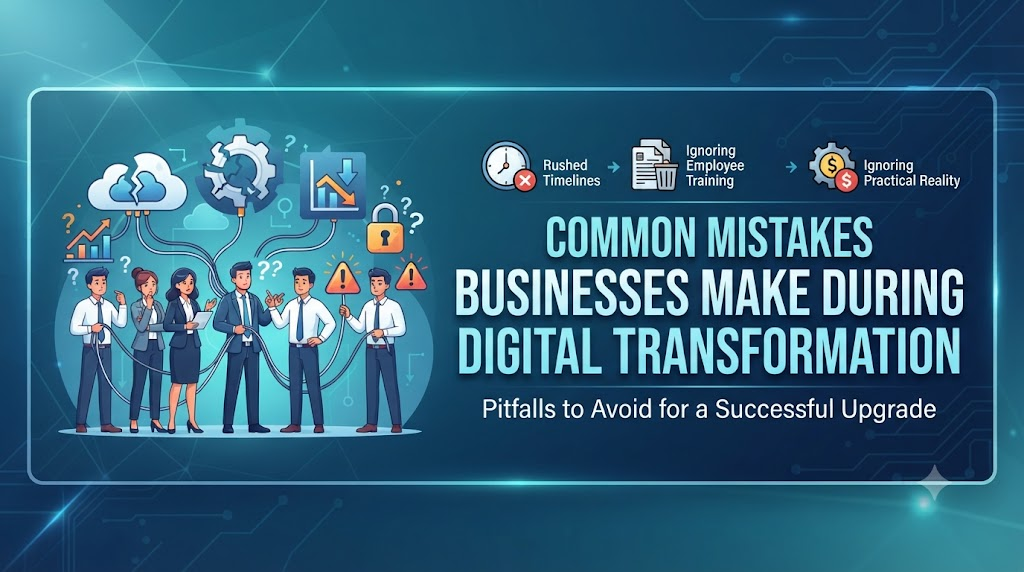
Common Mistakes Businesses Make During Digital Transformation
Many digital upgrades fail not because the software is bad, but because of poor planning and execution. Recognizing these frequent missteps helps teams navigate change successfully.
1. Treating It Solely as an IT Project
- What people do: The leadership team hands the entire project to the IT department and tells them to “fix our technology.”
- Why it causes problems: Technology only supports the business; it does not run it. If IT installs new software without understanding how sales, customer support, and finance actually work, the new tools will not match daily needs.
- What to do instead: Involve leaders from every department from day one. Build cross-functional teams that include staff who will actually use the software every day.
2. Buying Software Before Fixing Broken Processes
- What people do: Companies purchase expensive enterprise software hoping it will magically fix disorganized workflows and messy data.
- Why it causes problems: Software only automates what already exists. If a process is slow, confusing, and broken, automating it just helps you make mistakes faster.
- What to do instead: Map out your current workflows first. Remove unnecessary steps, clean up messy spreadsheets, and simplify processes before shopping for software.
3. Ignoring Employee Training and Change Resistance
- What people do: Companies invest heavily in new systems but spend very little time or money teaching employees how to use them.
- Why it causes problems: People naturally resist change when they are comfortable with familiar routines. If a new system feels difficult, employees will find workarounds, print documents out, or go back to using old spreadsheets.
- What to do instead: Treat training as an ongoing journey, not a single workshop. Appoint internal champions to help peers, provide clear video guides, and reward employees who adopt the new tools.
4. Setting Unrealistic Timelines and Budgets
- What people do: Leaders expect a massive business transformation to happen within a few months with minimal spending.
- Why it causes problems: Unrealistic deadlines force teams to rush testing, skip employee training, and cut corners. This leads to system crashes, frustrated customers, and blown budgets.
- What to do instead: Break the transformation into smaller, manageable phases. Focus on upgrading one department or workflow at a time before moving to the next.
5. Choosing Flashy Tools Instead of Practical Solutions
- What people do: Businesses buy complicated software with advanced artificial intelligence or massive data suites because it sounds impressive in board meetings.
- Why it causes problems: If the tool is too complex for the team, nobody will use its advanced features. The company ends up paying high subscription fees for software that acts like a digital paperweight.
- What to do instead: Choose software that solves your specific problems. Prioritize user-friendliness so employees can learn it quickly.
6. Failing to Measure Success
- What people do: A company installs new software, declares the project finished, and never checks if it actually improved the business.
- Why it causes problems: Without clear metrics, you cannot tell if the investment was worth the money or if new problems are creeping in.
- What to do instead: Define clear goals before starting. Track metrics such as processing speed, customer wait times, employee adoption rates, and cost savings.
Risks and Limitations
Every major change carries hidden risks that leaders must manage carefully.
- Operational Disruption: During the transition period, systems can crash, leading to temporary delays in serving customers.
- Security Vulnerabilities: Moving data to new cloud platforms creates risks if access permissions are set up incorrectly.
- Vendor Lock-In: Relying entirely on one proprietary software provider can make it expensive and difficult to switch providers later.
How to reduce these risks: Run pilot tests with a small group of users before rolling out new software to the entire company. Keep secure backups of all data during any migration.
Decision-Making Framework
Use this simple step-by-step framework before starting a digital project:
- Identify the Problem: What specific business pain point are we trying to solve? (e.g., invoices take too long to approve).
- Review Current Processes: Can this process be simplified before buying software?
- Define Requirements: What must the new tool do to solve this problem?
- Evaluate Options: Compare software based on ease of use, cost, and security, not just brand name.
- Calculate Total Cost: Look beyond the initial purchase price to include training, maintenance, and support costs.
- Plan for People: How will we train our team and address their concerns?
- Test and Scale: Run a small pilot test, measure results, and adjust before a full company-wide rollout.
Practical Checklist
Review this checklist before launching your digital transformation initiative:
- Department leaders are actively involved in planning.
- Existing workflows have been mapped and simplified.
- Software matches daily team needs rather than just sounding impressive.
- A dedicated training schedule and support system exist for employees.
- Clear metrics (KPIs) are set to measure success.
- A pilot test is planned before full company rollout.
- Data backup and security protocols are verified.
Key Terms
- Cloud Computing: Storing and accessing data and programs over the internet instead of your computer’s hard drive.
- Workflow: The sequence of steps involved in moving from the beginning to the end of a working task.
- Legacy System: Outdated computer hardware or software that is still in use but hard to maintain.
- Pilot Test: A small-scale trial run of a new system to catch errors before launching it to everyone.
- User Adoption: The rate at which employees comfortably and correctly use new software.
- Data Migration: The process of moving data from old storage systems to a new database or cloud platform.
- Cross-functional Team: A group of people with different expertise working together on a single project.
- Scalability: The ability of a system to handle growing amounts of work or users without slowing down.
FAQs
What is the biggest reason digital transformations fail?
Most failures happen because companies focus only on technology and ignore the human element. If employees do not understand or refuse to use the new tools, the project fails regardless of how advanced the software is.
Do small businesses need digital transformation?
Yes. Small businesses benefit from cloud invoicing, automated customer emails, and digital inventory tools just as much as large corporations, often helping them compete against bigger rivals.
How long does a digital transformation take?
It depends on the size of the business. A small business might update its systems in a few months, while a large enterprise can take several years. Breaking projects into smaller phases helps maintain momentum.
Should we hire outside consultants for digital transformation?
Consultants are helpful if your internal team lacks experience with large software migrations. However, internal staff must still stay involved so the solutions match daily business realities.
How do we get employees to accept new software?
Involve them early in choosing the tools, explain clearly why the change helps them save time, and provide patient, hands-on training rather than just handing them a manual.
How much should a company budget for digital transformation?
Budgets vary widely based on company size and goals. Always budget extra funds for unexpected delays, ongoing employee training, and technical support after the initial launch.
What is the difference between digitization and digital transformation?
Digitization is simply turning paper documents into digital files (like scanning a receipt). Digital transformation is a complete overhaul of how a business operates using digital tools.
How do we know if our digital transformation is working?
Track measurable improvements, such as faster customer response times, fewer errors in data entry, lower operational costs, and high rates of employee software usage.
Conclusion
Digital transformation is not a single software purchase; it is an ongoing journey of improving how a business works. By focusing on people, simplifying messy processes, and setting realistic goals, companies can avoid costly pitfalls.
Technology should make work easier, not harder. Approach transformation with careful planning, open communication, and patience, and your business will be ready to adapt to whatever challenges come next.
