Introduction
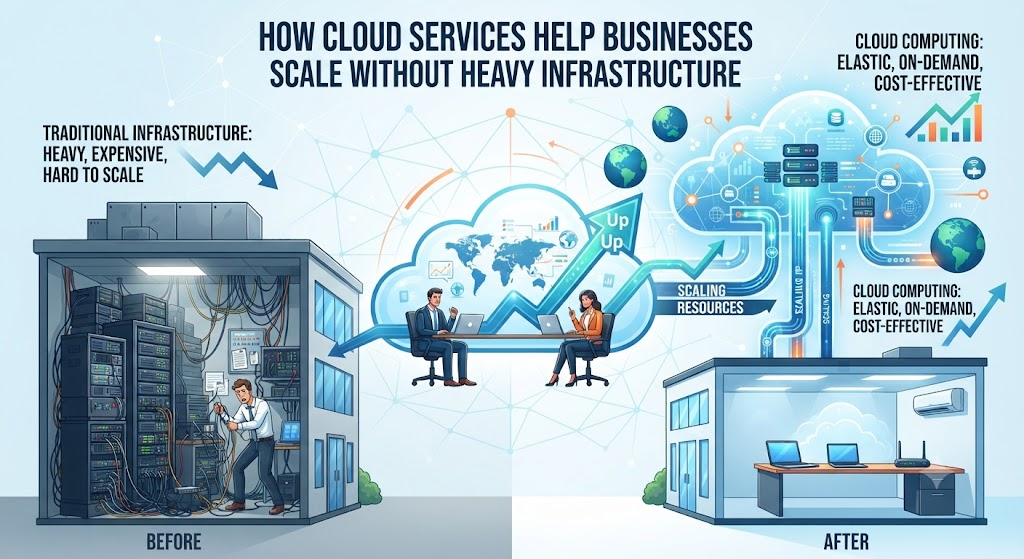
Imagine you run a small online bookstore. Normally, you would need to buy your own computer servers to host your website. If you buy a small server, it might crash when a holiday sale brings thousands of shoppers at once. If you buy a massive server to handle that busy day, it will sit empty and cost you money for the rest of the year.
This dilemma is a classic challenge for growing businesses. Purchasing physical hardware ties up capital, requires specialized maintenance staff, and quickly becomes outdated.
Cloud computing changes this equation completely. Instead of building private data centers, companies can rent infrastructure on demand. This article explores how cloud services help businesses scale efficiently, what trade-offs to keep in mind, and how to adopt this model without overspending.
What Is Cloud Computing?
At its core, cloud computing is the delivery of computing services over the internet—referred to as “the cloud.” Instead of keeping files on your own hard drive or running programs from a physical server in your office, you access them securely through remote servers managed by third-party providers like Amazon, Microsoft, or Google.
Core Service Models
Cloud services generally fall into three main categories:
- Infrastructure as a Service (IaaS): Renting raw computing building blocks, such as virtual servers, storage, and networking. It gives you maximum control, similar to renting an empty warehouse where you can build your own shelving.
- Platform as a Service (PaaS): Providing a managed environment where software developers can build and deploy applications without worrying about underlying hardware. Think of it as a rented workshop equipped with tools and benches.
- Software as a Service (SaaS): Delivering ready-to-use software applications over the web, typically accessed via a web browser. Common examples include email clients, customer relationship management tools, and document collaboration apps.
How Cloud Services Enable Scalability
Scalability is the ability of a system to handle growing amounts of work by adding resources. In traditional IT, scaling meant ordering physical servers, waiting for delivery, racking them, and configuring cables—a process taking weeks or months.
Cloud scaling operates differently through two primary mechanisms:
Vertical Scaling (Scaling Up)
This involves increasing the capacity of an existing resource, such as upgrading a virtual server from 4 gigabytes of memory to 32 gigabytes. In the cloud, this is often done with a simple dashboard click or an automated rule.
Horizontal Scaling (Scaling Out)
This means adding more instances of resources to share the load. When website traffic surges, the cloud system automatically spins up five new virtual servers to help handle visitors. When traffic drops back down, those extra servers turn off, and you stop paying for them.
Why This Matters: The Shift from CapEx to OpEx
The financial impact of cloud services is one of their biggest advantages for growing organizations.
- Capital Expenditure (CapEx): Traditional IT requires high upfront investments in physical assets. Money spent on servers cannot be used for marketing, hiring, or product development.
- Operational Expenditure (OpEx): Cloud services operate on a pay-as-you-go subscription model. Expenses shift from large upfront purchases to predictable monthly operational costs.
This financial flexibility allows a startup to use the same powerful computing infrastructure as a multi-national corporation, leveling the competitive playing field.
Real-World Practical Considerations
While the benefits are clear, moving to the cloud requires careful planning. Successful adoption involves understanding operational workflows, security boundaries, and long-term costs.
Resource Provisioning and Monitoring
Because cloud resources can be spun up instantly, it is easy for teams to accidentally leave unused servers running. Real-world success requires setting up automated monitoring and alerts to track resource utilization and prevent unexpected bills.
Shared Responsibility Model
In the cloud, security is a shared duty:
- The Cloud Provider secures the underlying infrastructure, including physical data centers, hardware, and network plumbing.
- The Business remains responsible for securing its own data, user access controls, passwords, and application configurations.
Common Mistakes When Scaling in the Cloud
Organizations shifting to the cloud often run into avoidable traps.
- Mistake: Treating cloud architecture exactly like physical data centers (“lift and shift” without redesigning).
- Why it happens: Teams want a quick migration without rewriting applications.
- Why it causes problems: Applications fail to take advantage of cloud elasticity, leading to poor performance and high costs.
- What to do instead: Refactor applications gradually to use cloud-native features like managed databases and auto-scaling groups.
- Mistake: Ignoring cost governance until the bill arrives.
- Why it happens: Easy provisioning encourages developers to spin up resources without tracking budgets.
- Why it causes problems: Monthly cloud bills can spiral out of control.
- What to do instead: Assign cloud financial management (FinOps) responsibilities and set strict spending thresholds.
Risks and Limitations
Cloud computing is powerful, but it is not a universal fix for every business challenge.
- Internet Dependency: If your internet connection drops, access to your cloud infrastructure and applications can be interrupted.
- Data Privacy and Compliance: Storing sensitive customer or financial data on third-party servers requires strict compliance checks, especially in regulated industries like healthcare and finance.
- Vendor Lock-in: Moving deep into one specific cloud provider’s proprietary ecosystem can make it difficult and expensive to switch to another provider later.
Decision-Making Framework: When to Use the Cloud
Use this simple framework to evaluate whether a cloud-first approach fits your current business stage:
- Assess Variability: Does your workload fluctuate unpredictably? (High variability strongly favors cloud scaling).
- Evaluate Capital: Do you have capital to spare for hardware, or is cash flow better preserved for core business operations?
- Review Compliance: Do local laws or industry regulations restrict where your data can physically live?
- Analyze Team Skills: Does your team have cloud administration skills, or will you need training or managed service support?
Checklist for Cloud Migration
- Audit existing applications and data to decide what moves to the cloud first.
- Establish identity and access management (IAM) policies with multi-factor authentication.
- Set up automated cost alerts and budget thresholds with your cloud provider.
- Design backup and disaster recovery procedures tailored to cloud workloads.
- Train internal teams on cloud security basics and resource management.
Key Terms
- Auto-Scaling: A cloud feature that automatically adds or removes computing resources based on real-time demand.
- Latency: The delay between a user’s action and a response from a web application or server.
- Multi-Tenant Architecture: A model where a single instance of software and its underlying hardware serve multiple client organizations securely.
- Virtualization: The process of creating a software-based (virtual) representation of a computer, storage device, or network.
- FinOps: An operational framework that brings financial accountability to the variable spend model of cloud computing.
FAQs
Do small businesses really need cloud services?
Yes. Small businesses benefit immensely because they can access enterprise-grade security, storage, and processing power without hiring dedicated hardware maintenance staff or buying expensive physical equipment.
Is cloud data secure?
Major cloud providers invest heavily in physical and digital security, often far exceeding what an individual business can afford. However, security ultimately depends on how the business configures its access controls and protects its user credentials.
How does cloud computing save money?
It eliminates upfront hardware purchases and reduces maintenance overhead. Instead of buying servers that sit idle during slow periods, you pay only for the exact computing capacity you consume.
What is vendor lock-in?
Vendor lock-in happens when an organization becomes heavily reliant on a specific cloud provider’s proprietary tools and services, making migration to a competing platform difficult or costly.
Can the cloud completely replace an office network?
For many modern businesses, yes. With cloud storage, collaboration suites, and virtual private networks, teams can operate entirely without local office servers.
Conclusion
Cloud services have transformed how organizations grow, innovate, and manage operations. By replacing heavy physical infrastructure with flexible, on-demand digital resources, businesses can scale up to meet heavy demand or scale down during quiet periods without financial waste. Success in the cloud requires balancing speed with careful cost management and security practices. By understanding these fundamentals, businesses can build a resilient, adaptable foundation for the future.