
Introduction
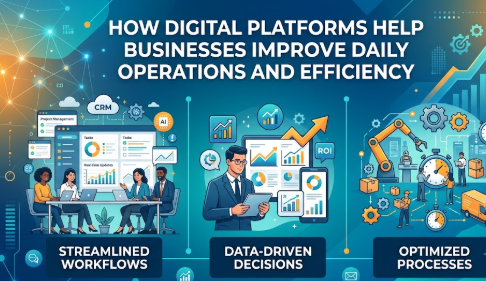
A small business may begin with a few employees, a spreadsheet for expenses, messaging apps for communication, email for customer enquiries, and handwritten notes for important tasks. At first, this system may appear manageable. As the company grows, however, orders increase, customers expect faster responses, managers need accurate reports, employees work across different locations, invoices require follow-up, approvals become more complicated, and important information starts appearing in multiple places. One employee may have the latest customer details, another may maintain a different spreadsheet, while management may be working with information that is already several days old. This is where digital platforms can make a meaningful difference. Understanding how digital platforms help businesses improve daily operations is not simply about adopting new technology. It is about creating a more organized way of working. Digital platforms can connect employees, processes, customers, financial information, documents, inventory, projects, and performance data within structured systems. They can reduce unnecessary manual effort, provide better visibility, improve accountability, and help management identify problems sooner. For small businesses, startups, growing companies, and established organizations, these capabilities can become increasingly valuable as operational complexity increases. However, technology must be implemented carefully. An unsuitable system can increase costs, create unnecessary complexity, expose sensitive information, or frustrate employees. Businesses therefore need to understand both the benefits and limitations of digital tools before changing their workflows. This guide explains how digital platforms support everyday business activities, how automation and centralized information improve operational efficiency, which areas should be digitized first, what common implementation mistakes should be avoided, and how organizations can choose technology according to actual business needs rather than trends. The objective is not to encourage businesses to digitize everything. It is to show how thoughtful digital transformation can help organizations create simpler, more measurable, secure, and manageable daily operations.
What Are Digital Platforms for Business Operations?
A digital business platform is a software-based environment that helps a company perform, manage, monitor, or coordinate business activities electronically.
The platform may focus on one specific function, such as accounting, customer management, payroll, project management, or inventory. Other platforms combine several business functions into one connected system.
Common examples include:
- Customer relationship management platforms
- Accounting and invoicing systems
- Enterprise resource planning software
- Project management platforms
- Human resource management systems
- Customer-support platforms
- Inventory management tools
- E-commerce management systems
- Document management platforms
- Communication and collaboration tools
- Business intelligence platforms
- Workflow automation tools
A platform becomes useful when it improves the way information and tasks move through an organization.
For example, imagine a company receiving a customer order.
Without an integrated digital system:
- Sales records the order manually.
- Someone emails the warehouse.
- The warehouse checks inventory separately.
- Accounts creates an invoice.
- Management receives an updated spreadsheet later.
- Customer support may not know whether the order was shipped.
With connected digital platforms, the order can automatically update customer records, inventory, invoicing, delivery status, and management dashboards.
That is a simple example of business process automation.
Why Digital Platforms Are Important
Digital platforms matter because businesses depend heavily on information.
Employees need to know:
- What work is pending
- Who is responsible
- Which customer requires attention
- Whether inventory is available
- Which invoice is unpaid
- Whether an approval has been completed
- What revenue has been recorded
- Which project is delayed
- Where operational problems are developing
When this information is scattered across emails, paper documents, spreadsheets, individual devices, and messaging conversations, management becomes difficult.
A well-designed digital system creates a structured source of operational information.
This can improve coordination without requiring managers to constantly ask employees for updates.
Why This Topic Matters
Understanding how digital platforms help businesses improve daily operations matters because operational inefficiency is not always obvious.
A business can appear busy while still wasting significant employee effort.
For example, employees may spend time:
- Re-entering the same information
- Searching for documents
- Preparing repetitive reports
- Following up manually
- Checking multiple spreadsheets
- Sending status emails
- Correcting avoidable data-entry errors
- Waiting for approvals
- Reconciling inconsistent records
These activities may appear small individually, but together they can slow the organization.
Digital platforms can help businesses redesign these processes.
Better Financial Awareness
Business operations are closely connected with money.
Digital systems can support:
- Expense recording
- Invoice generation
- Payment tracking
- Cash-flow monitoring
- Budget comparison
- Purchase approvals
- Payroll administration
- Tax record organization
- Financial reporting
This does not mean software replaces professional accounting, tax, legal, or financial advice. It means businesses can maintain more organized information for decision-making and professional review.
Better Planning
Managers can make better decisions when they have timely information.
Consider a retailer that discovers inventory shortages only when customers complain. A better inventory platform may provide alerts before stock reaches a critical level.
The improvement is not simply technological.
It changes management from reacting to problems toward identifying potential problems earlier.
How Digital Platforms Help Businesses Improve Daily Operations
Digital platforms can affect almost every part of daily business activity.
The value usually comes from six major improvements:
- Centralization
- Automation
- Visibility
- Collaboration
- Standardization
- Measurement
Let us examine them in detail.
1. Centralizing Business Information
One common operational problem is fragmented information.
Customer information may exist in:
- Spreadsheets
- Email inboxes
- Employee notebooks
- Messaging platforms
- Accounting software
- Sales systems
This creates confusion.
A customer relationship management platform can centralize information such as:
- Customer contact details
- Sales conversations
- Previous purchases
- Follow-up tasks
- Support requests
- Quotations
- Sales opportunities
Employees who have appropriate permission can then access consistent information.
Centralization is especially valuable when several departments interact with the same customer.
2. Automating Repetitive Tasks
Employees should ideally spend their time on activities requiring judgment, creativity, communication, or specialist expertise.
However, many organizations consume employee time through repetitive administrative activities.
Business process automation can help with tasks such as:
- Sending invoice reminders
- Assigning customer enquiries
- Updating order status
- Generating recurring reports
- Creating approval notifications
- Scheduling follow-ups
- Updating inventory records
- Sending internal alerts
- Moving documents through approval stages
Automation does not mean eliminating human involvement everywhere.
A better approach is often human-controlled automation.
For example, software might prepare a purchase request automatically while a manager remains responsible for approving the transaction.
3. Improving Communication
Communication problems frequently create operational delays.
Employees may not know:
- Who owns a task
- Whether a task has started
- Whether approval has been received
- Which version of a document is current
- What changed after a meeting
Digital collaboration platforms can create more structured communication.
Instead of sending repeated messages asking for updates, employees can view:
- Task status
- Assigned owner
- Deadlines
- Comments
- Attachments
- Approval status
- Project progress
This creates greater transparency.
4. Creating Standard Workflows
Different employees sometimes perform the same task differently.
For example, three sales representatives might follow three completely different processes for handling leads.
A digital workflow can establish a standard process:
Lead received → Lead qualified → Follow-up scheduled → Proposal prepared → Negotiation → Closed or lost.
Standardization makes operations easier to measure and improve.
It can also help with employee onboarding because new team members have a clearer process to follow.
5. Improving Customer Service
Customers generally expect businesses to remember previous conversations and respond consistently.
Digital customer platforms can help employees see:
- Previous enquiries
- Purchase history
- Open complaints
- Pending orders
- Support tickets
- Communication history
This reduces situations where customers must repeatedly explain the same problem to different employees.
Automation can also help route customer requests to appropriate departments.
However, companies should avoid excessive automation when customers genuinely need human assistance.
6. Providing Real-Time Operational Visibility
Business leaders often receive reports after something has already happened.
Digital dashboards can provide faster visibility into important indicators such as:
- Orders
- Sales pipeline
- Outstanding invoices
- Inventory
- Customer requests
- Employee workload
- Project milestones
- Website enquiries
- Operational expenses
The purpose of dashboards should not be to display as much data as possible.
A useful dashboard should answer important management questions.
7. Improving Financial Administration
Finance departments benefit significantly from structured digital processes.
Digital platforms may support:
- Invoicing
- Purchase orders
- Expense approvals
- Receivables tracking
- Vendor records
- Payroll information
- Budget monitoring
- Financial document storage
- Reconciliation workflows
For example, an expense management system can require employees to upload receipts, select expense categories, and send claims through an approval workflow.
This can be more organized than managing claims through emails and paper documents.
8. Supporting Remote and Distributed Teams
Employees no longer need to be physically located beside a filing cabinet or office computer to complete many types of work.
Cloud-based business tools can allow authorized employees to access:
- Tasks
- Documents
- Customer information
- Reports
- Calendars
- Project updates
from different locations.
However, remote accessibility increases the importance of security controls such as strong authentication, permission management, secure devices, and employee cybersecurity awareness.
9. Improving Accountability
A major operational advantage of digital systems is traceability.
Organizations can often identify:
- Who created a task
- Who approved something
- When a record changed
- Who completed an activity
- When a customer was contacted
This creates clearer responsibility.
In compliance-sensitive environments, system logs may also support internal reviews and audits.
10. Making Business Performance Easier to Measure
Businesses cannot improve processes effectively if they cannot measure them.
Digital platforms can help track indicators such as:
- Average response time
- Order processing time
- Customer conversion rates
- Outstanding tasks
- Employee workload
- Inventory turnover
- Payment collection
- Project completion
These measurements help managers identify bottlenecks.
Major Areas Where Digital Platforms Create Value
| Business Area | Digital Platform Function | Operational Benefit |
|---|---|---|
| Sales | CRM and lead tracking | Better follow-up and pipeline visibility |
| Finance | Accounting and invoicing | More organized financial administration |
| Operations | Workflow automation | Reduced repetitive manual work |
| Customer Support | Ticket management | Faster and more consistent support |
| Inventory | Stock tracking | Better stock visibility and planning |
| HR | Employee and payroll systems | Organized workforce administration |
| Projects | Task and project platforms | Better ownership and deadline tracking |
| Management | Reporting dashboards | Faster operational decision-making |
This is the first of only two tables in this article.
Step-by-Step Practical Guide to Improving Operations With Digital Platforms
Businesses should avoid implementing software simply because a platform is popular.
Start with the business problem.
Step 1: Identify Operational Bottlenecks
What It Means
Look for activities that consume unnecessary time, create errors, cause delays, or regularly generate complaints.
Why It Matters
Technology applied to a poorly understood problem can make the problem more complicated.
How to Apply It
Ask employees to document:
- Repetitive tasks
- Delayed approvals
- Duplicate data entry
- Frequent mistakes
- Information they struggle to find
- Customer complaints
Practical Example
If sales employees spend thirty minutes every morning updating separate spreadsheets, centralized CRM reporting may be worth investigating.
Step 2: Map the Existing Process
What It Means
Document how work currently moves from beginning to completion.
Why It Matters
A company cannot improve a workflow it does not understand.
How to Apply It
Write down:
Trigger → Employee action → Approval → System update → Completion.
Include every important handoff.
Practical Example
A purchase process might involve an employee request, manager approval, finance review, supplier order, receipt confirmation, and payment.
Mapping reveals unnecessary steps.
Step 3: Define the Desired Outcome
What It Means
Decide exactly what improvement the business expects.
Why It Matters
Without clear objectives, businesses may purchase complicated systems containing features they never use.
How to Apply It
Set operational goals such as:
- Reduce duplicate data entry
- Improve task visibility
- Organize customer follow-up
- Centralize documents
- Reduce reporting effort
Practical Example
Instead of saying, “We need automation,” say, “We want invoice reminders to be generated automatically while finance retains control over exceptions.”
Step 4: Compare Suitable Digital Platforms
What It Means
Evaluate software according to business requirements.
Why It Matters
The most feature-rich system is not automatically the best system.
How to Apply It
Compare:
- Core functions
- Ease of use
- Integration
- Security
- Data export
- Scalability
- Support
- Pricing structure
- User permissions
- Backup options
Practical Example
A ten-person company may benefit more from a simple cloud platform than a complex enterprise system requiring specialist administration.
Step 5: Start With a Controlled Pilot
What It Means
Implement the platform with a small team or limited workflow before organization-wide deployment.
Why It Matters
A pilot reveals practical issues before they affect the entire company.
How to Apply It
Choose:
- One department
- One workflow
- One project
- A limited user group
Collect employee feedback.
Practical Example
A company introducing project management software could initially test it with the marketing team.
Step 6: Train Employees Properly
What It Means
Employees must understand both the platform and the process behind it.
Why It Matters
Poor adoption is one of the biggest reasons useful software becomes ineffective.
How to Apply It
Provide:
- Role-specific training
- Simple instructions
- Example workflows
- Security guidance
- Support contact
- Process documentation
Practical Example
Sales employees should learn not only how to enter leads but also when lead stages should be updated.
Step 7: Measure Results and Improve
What It Means
Review whether the platform actually improved operations.
Why It Matters
Digital transformation should produce measurable operational value rather than simply introduce more software.
How to Apply It
Compare performance before and after implementation using suitable indicators.
Examples include:
- Processing time
- Error frequency
- Customer response times
- Manual hours
- Reporting effort
- Employee adoption
Practical Example
If invoice follow-up previously required several hours each week, compare that effort after automated reminders are introduced.
Five Practical Real-Life Examples
Example 1: Small Retail Business
Situation: A retailer maintains stock information manually in spreadsheets.
Challenge: Employees occasionally accept orders for products that are already unavailable.
Better action: Introduce centralized inventory tracking connected with sales records.
Learning: Better inventory visibility can reduce avoidable customer disappointment and improve purchasing decisions.
Example 2: Service Company Managing Leads
Situation: Customer enquiries arrive through email, phone calls, and website forms.
Challenge: Some prospects never receive follow-up because information is scattered.
Better action: Use a CRM with lead assignment and follow-up reminders.
Learning: A structured sales process improves accountability without requiring managers to monitor every conversation manually.
Example 3: Company Processing Employee Expenses
Situation: Employees email photographs of receipts to finance.
Challenge: Receipts are difficult to organize and approvals become unclear.
Better action: Use a digital expense workflow with receipt uploads, categories, and approval status.
Learning: Structured information simplifies review and reduces administrative confusion.
Example 4: Growing Project Team
Situation: Project updates are discussed mainly through messaging groups.
Challenge: Employees lose track of responsibilities and deadlines.
Better action: Move tasks, owners, milestones, and documents into a workflow management tool.
Learning: A shared project view creates greater clarity than relying on message history.
Example 5: Customer Support Department
Situation: Customers contact several employees about the same problem.
Challenge: Employees do not know what has already been discussed.
Better action: Use a centralized support ticket platform with conversation history and ownership.
Learning: Centralized records can create a more consistent customer experience.
Common Problems Businesses Face
Digital transformation sounds simple until businesses begin implementation.
Several problems appear repeatedly.
Lack of Process Knowledge
Businesses sometimes automate activities without understanding why those activities exist.
This can result in inefficient processes becoming inefficient digital processes.
Too Many Platforms
Buying separate software for every department can create another form of fragmentation.
Employees may need to enter the same information in several systems.
Integration should therefore be considered carefully.
Poor Employee Adoption
A platform may be technically excellent but operationally unsuccessful if employees refuse to use it consistently.
Employees need to understand:
- Why the system is being introduced
- How it benefits their work
- Which processes are changing
- Where support is available
Weak Data Quality
Software cannot produce reliable reports from unreliable data.
Incorrect customer information, duplicate records, inconsistent categories, and incomplete entries reduce system usefulness.
Overconfidence in Automation
Automation is valuable, but not every decision should be automated.
Activities involving judgment, unusual circumstances, sensitive customers, compliance, or high-value financial decisions may require human review.
Ignoring Costs
Subscription fees are only one part of technology costs.
Businesses may also face:
- Implementation expenses
- Employee training
- Integration costs
- Data migration
- Consulting
- Customization
- Additional user fees
- Support expenses
Outdated Information
Digital dashboards create a false sense of accuracy if underlying information is not updated correctly.
Management should understand how frequently data changes.
Weak Comparison
Choosing the first attractive platform can lead to unnecessary costs.
Compare solutions against actual requirements.
Unrealistic Expectations
A platform cannot automatically repair poor leadership, unclear responsibilities, weak customer service, or inconsistent business processes.
Technology supports management.
It does not replace it.
Mistakes to Avoid When Using Digital Platforms
Buying Technology Before Defining the Problem
Do not start with software features.
Start with the operational problem.
Automating Broken Processes
If a workflow contains unnecessary approval stages, automation may simply make those unnecessary stages happen faster.
Review the process first.
Giving Everyone Full Access
Employees should generally receive only the access required for their responsibilities.
Excessive permissions increase privacy and security risks.
Ignoring Backup and Export Options
Businesses should understand:
- How information is backed up
- Whether records can be exported
- What happens if the provider becomes unavailable
- How data can be migrated later
Depending Completely on One Person
Operational knowledge should not exist only in the mind of one employee or external consultant.
Document important configurations and procedures.
Ignoring Hidden Charges
Review costs associated with:
- Additional users
- Storage
- Premium features
- Integrations
- API usage
- Support
- Implementation
- Data migration
Following Random Technology Advice
A tool that works well for one company may be unsuitable for another.
Company size, industry, workflow complexity, budget, security requirements, and employee capability should influence the decision.
Ignoring Financial and Digital Safety
Where digital business platforms connect with payments, investments, trading, loans, or crypto-related services, businesses should be particularly careful.
Avoid:
- Investing business funds without appropriate research
- Borrowing without repayment planning
- Making trading decisions based on random tips
- Ignoring fees and charges
- Trusting guaranteed-profit claims
- Sharing passwords, OTPs, recovery phrases, or wallet keys
- Using emergency operating funds for highly risky investments
- Treating trading, crypto, or casino activity as predictable business income
“Don’t Do This” Checklist
- Do not purchase software only because competitors use it.
- Do not automate processes you have not reviewed.
- Do not provide unnecessary administrator permissions.
- Do not ignore employee training.
- Do not rely on one software provider without understanding data portability.
- Do not assume dashboards are correct without validating data.
- Do not place confidential information in unapproved tools.
- Do not share passwords or OTPs.
- Do not accept guaranteed-profit or risk-free financial claims.
- Do not invest essential working capital in highly speculative activities.
- Do not ignore legal, tax, privacy, or compliance obligations.
- Do not expect technology alone to solve management problems.
Good Practice vs Bad Practice
| Area | Better Practice | Weak Practice |
|---|---|---|
| Platform Selection | Start with business requirements | Choose software because it is popular |
| Automation | Automate stable, repetitive processes | Automate unclear workflows |
| Data | Maintain clean, standardized records | Allow inconsistent data entry |
| Security | Apply role-based permissions | Give every employee administrator access |
| Training | Provide role-specific training | Expect employees to learn alone |
| Reporting | Track meaningful operational indicators | Create dashboards with unnecessary metrics |
| Integration | Connect important systems carefully | Maintain duplicated disconnected data |
| Evaluation | Review results regularly | Assume implementation equals success |
Tools, Methods, and Frameworks for Better Digital Operations
Technology decisions become easier when businesses use structured frameworks.
1. Process Mapping
Document the complete workflow before changing it.
Identify:
- Trigger
- Activities
- Responsible employees
- Approvals
- Systems involved
- Final outcome
2. Workflow Audit
Review repetitive processes regularly.
Look for:
- Duplicate entry
- Manual copying
- Unnecessary approvals
- Long waiting periods
- Missing ownership
- Frequent errors
These areas are good automation candidates.
3. Digital Tool Scorecard
Before selecting business operations software, rate each option based on:
- Required features
- Ease of use
- Security
- Integration
- Support
- Scalability
- Data export
- Cost
This reduces decisions based purely on attractive marketing.
4. Automation Priority Framework
Prioritize activities that are:
- Frequent
- Repetitive
- Rules-based
- Time-consuming
- Low-risk
- Easy to measure
Complex decisions requiring judgment should usually remain human-controlled.
5. Business Dashboard
Create dashboards around business questions.
Examples:
- Which invoices require attention?
- Which orders are delayed?
- Which sales opportunities need follow-up?
- Which projects are behind schedule?
- Which products are low in stock?
6. Standard Operating Procedures
Document how important digital workflows should be performed.
Include:
- Responsibilities
- Steps
- Approvals
- Exceptions
- Security rules
7. Access Review
Periodically verify employee permissions.
Remove access when:
- Responsibilities change
- Employees leave
- Contractors finish projects
- Systems are replaced
8. Business Continuity Checklist
Consider what happens when a digital platform is unavailable.
Businesses may need:
- Backup information
- Alternative communication methods
- Document exports
- Recovery procedures
- Provider support contacts
Expert Tips for Improving Digital Business Operations
- Solve the process problem before buying software. Technology works best when the desired workflow is already understood.
- Begin with high-impact repetitive work. Routine administrative activities are often easier automation opportunities.
- Keep platforms simple where possible. More features do not automatically create more value.
- Involve employees early. The people performing the work often understand operational bottlenecks better than senior management.
- Standardize data entry. Consistent naming and categories improve reporting quality.
- Avoid unnecessary integrations. Connect systems only when information genuinely needs to flow between them.
- Use role-based access. Employees should receive sufficient access to perform their jobs without unnecessary exposure.
- Review automation exceptions. Every automated workflow should have a method for handling unusual situations.
- Train employees continuously. Platform capabilities and company workflows change over time.
- Track adoption. Software that employees rarely use is unlikely to improve operations.
- Measure business outcomes rather than features. Focus on reduced processing time, improved accuracy, better visibility, or stronger customer service.
- Maintain human oversight. Important financial, legal, compliance, customer, and personnel decisions often require human judgment.
- Plan for data portability. Understand how information can be exported if the organization changes platforms.
- Review recurring software costs. Businesses often accumulate unused subscriptions.
- Treat cybersecurity as an operational responsibility. Security should be built into everyday workflows rather than treated as a separate technical issue.
Case Studies
Case Study 1: Growing Distribution Company
Profile
A growing distribution business handles customer orders, inventory, supplier purchases, and invoices.
Situation
Different departments use separate spreadsheets.
Problem
Sales employees occasionally promise delivery before confirming stock availability. Finance receives order information later, while management lacks a consolidated operational view.
Wrong Approach
Management initially considers purchasing several separate tools for sales, inventory, and reporting without reviewing how information moves between departments.
This could create additional data duplication.
Better Approach
The company first maps its order-to-delivery process.
It identifies four critical information points:
- Customer order
- Inventory availability
- Dispatch status
- Invoice status
The company then evaluates platforms capable of sharing relevant information across these stages.
Employee permissions are configured according to responsibilities.
Result or Learning
The biggest improvement comes from information visibility rather than simply automation.
Sales employees gain faster visibility into stock status, finance receives structured transaction information, and management can review order progress more easily.
Key Takeaway
Digital transformation is most effective when businesses first understand which information needs to move between departments.
Case Study 2: Professional Services Firm
Profile
A service company manages multiple client projects with employees working across different locations.
Situation
Employees communicate mainly through email and messaging applications.
Problem
Project deadlines become difficult to track because tasks, files, discussions, and approvals exist in different places.
Wrong Approach
Management initially attempts to solve the problem by increasing the number of progress meetings.
However, employees spend more time reporting work instead of completing it.
Better Approach
The company implements a project management platform.
Each project includes:
- Tasks
- Owners
- Due dates
- Files
- Comments
- Approval stages
Weekly meetings then focus on exceptions, risks, and decisions instead of collecting basic status information.
Result or Learning
The platform creates a shared operational view.
Employees can see responsibilities clearly, while managers spend less effort manually gathering updates.
Key Takeaway
Digital platforms can improve collaboration when they replace unnecessary information-gathering activities rather than adding another communication channel.
Case Study 3: Small Business Finance Administration
Profile
A small company processes supplier invoices, employee expenses, and customer payments.
Situation
Financial documents arrive through email, paper receipts, and messaging applications.
Problem
Management struggles to understand which expenses have been approved and which invoices require follow-up.
Wrong Approach
The company considers hiring additional administrative staff without examining the underlying workflow.
Better Approach
Management first standardizes document submission.
A digital workflow is introduced for:
- Expense submission
- Receipt attachment
- Manager approval
- Finance review
- Payment status
Customer invoice reminders are organized through the accounting platform.
Result or Learning
Administrative information becomes more structured, although professional accounting review remains necessary.
The company learns that software is most valuable when responsibilities and approval rules are clearly defined.
Key Takeaway
Digital platforms can improve financial administration, but technology should support proper financial controls rather than replace them.
Risk Awareness When Using Digital Platforms
Digital platforms create benefits, but businesses should understand their risks.
Platform Risk
A business may become heavily dependent on one technology provider.
Possible problems include:
- Service outages
- Provider changes
- Pricing changes
- Feature discontinuation
- Vendor failure
Organizations should understand backup and migration options.
Cybersecurity Risk
Online business systems may contain sensitive information.
Threats can include:
- Phishing
- Credential theft
- Malware
- Account takeover
- Unauthorized access
Strong authentication and employee awareness are important.
Data Privacy Risk
Businesses may store information about:
- Customers
- Employees
- Vendors
- Transactions
Organizations need appropriate access controls, retention policies, and privacy practices.
Applicable legal obligations should be reviewed with qualified professionals where necessary.
Financial Risk
Software subscriptions and implementation costs can increase gradually.
A business should calculate the total cost rather than focusing only on the advertised monthly price.
Integration Risk
Poorly designed integrations can:
- Duplicate information
- Create incorrect updates
- Break workflows
- Produce inconsistent reporting
Critical integrations should be tested carefully.
Operational Risk
If employees depend completely on a platform, an outage can disrupt operations.
Business continuity procedures should exist for important processes.
Human Error Risk
Technology cannot eliminate mistakes completely.
Employees can still:
- Enter incorrect data
- Approve incorrect requests
- Delete information
- Send information to the wrong person
Controls and review processes remain necessary.
Compliance and Legal Risk
Some organizations operate under industry-specific requirements relating to:
- Data
- Record keeping
- Financial controls
- Privacy
- Customer information
- Cybersecurity
Software selection should consider these obligations.
Emotional Decision Risk
Business leaders sometimes purchase technology because competitors are using it or because a new technology is receiving attention.
Technology investments should be based on business value rather than fear of missing out.
Fraud Risk
Fake software providers, fraudulent invoices, phishing emails, false investment platforms, and social engineering can affect organizations.
Employees should verify unusual financial requests before acting.
Businesses should verify important information independently and consult qualified technology, financial, tax, security, or legal professionals when decisions involve significant operational or regulatory consequences.
Checklist Before Taking Action
Use this checklist before implementing a new digital platform:
- Define the operational problem clearly.
- Document the current workflow.
- Identify unnecessary manual activities.
- Establish the desired business outcome.
- List essential platform features.
- Separate essential features from optional features.
- Compare multiple suitable solutions.
- Review subscription and implementation charges.
- Check integration requirements.
- Review data migration requirements.
- Check data export capabilities.
- Review backup arrangements.
- Assess cybersecurity controls.
- Apply role-based employee permissions.
- Protect passwords and authentication information.
- Establish approval controls for financial activities.
- Protect emergency and working capital.
- Avoid guaranteed-profit or risk-free financial claims.
- Review legal and compliance requirements.
- Review applicable tax implications where relevant.
- Protect customer and employee personal information.
- Prepare employee training.
- Run a limited pilot where practical.
- Define performance indicators.
- Create a written implementation plan.
- Document important workflows.
- Establish procedures for platform outages.
- Review results after implementation.
- Remove unused subscriptions.
- Continue improving processes after deployment.
Advanced Insights for Serious Readers
Digital transformation becomes more sophisticated as organizations grow.
Serious business leaders should think beyond individual software applications.
Process Architecture
Instead of asking, “Which tool do we need?” consider:
“How should information move through our organization?”
Businesses should understand relationships between:
- Sales
- Finance
- Operations
- Marketing
- Customer support
- HR
- Management
This broader view prevents departments from building disconnected technology systems.
Single Source of Truth
Organizations should determine which system owns important information.
For example:
- CRM may own customer records.
- Accounting software may own financial records.
- HR systems may own employee information.
- Inventory software may own stock records.
Without clear ownership, different systems can contain conflicting information.
API and Integration Strategy
Growing organizations increasingly need applications to communicate.
Integrations can reduce manual data transfer, but every connection creates another dependency.
Integration should therefore serve a defined operational purpose.
Automation Governance
As automation increases, businesses should maintain a list of important automated workflows.
For each automation, document:
- Purpose
- Trigger
- Data used
- System owner
- Failure process
- Human approval requirements
This becomes particularly important as organizations introduce more advanced automation and AI-based capabilities.
Data Governance
Businesses should define:
- Who owns data
- Who can modify it
- Who can view it
- How long it should be retained
- How errors should be corrected
Good data governance improves both operational reliability and reporting quality.
Performance Measurement
Avoid measuring everything.
Identify indicators directly connected with business objectives.
For example, a customer-support department might focus on:
- Response time
- Resolution time
- Reopened requests
- Customer issue categories
The purpose is improvement, not surveillance.
Technology Debt
Businesses sometimes accumulate platforms over many years.
Eventually they may have:
- Duplicate software
- Unused accounts
- Unsupported tools
- Inconsistent data
- Unnecessary integrations
Periodic technology audits can identify these problems.
Human-Centered Digital Transformation
Efficiency should not automatically mean reducing every human interaction.
Some situations require empathy, judgment, negotiation, or specialist advice.
Successful organizations identify what technology should handle and what people should handle.
Key Terms Explained
- Digital Platform: Software that allows businesses to perform or manage activities electronically.
- Business Process Automation: Using software to perform repetitive activities according to predefined rules.
- Workflow: A sequence of steps through which a business task moves from start to completion.
- CRM: Customer Relationship Management software used to organize customer interactions and sales activities.
- ERP: Enterprise Resource Planning software that connects several business functions within a broader operational system.
- Cloud Software: Software hosted online and accessed through an internet connection rather than running only on a local computer.
- Integration: A connection allowing different software systems to exchange information.
- API: A technical method that allows software applications to communicate with each other.
- Dashboard: A visual display containing selected business information or performance indicators.
- KPI: Key Performance Indicator, a measurement used to track performance against an objective.
- Data Migration: The process of moving information from one system to another.
- Role-Based Access: Giving employees system permissions according to their responsibilities.
- Digital Transformation: The broader process of using digital technology to improve how an organization operates and delivers value.
- Automation Rule: A predefined instruction that tells software to perform an activity when certain conditions occur.
- Audit Trail: A record showing important system activities such as changes, approvals, or user actions.
Who Should Read This Blog
This guide is relevant to a wide range of readers.
Small Business Owners
Businesses moving beyond spreadsheets and manual administration can use digital platforms to create more structured processes.
Startup Founders
Growing startups often need scalable workflows before operational complexity becomes difficult to control.
Operations Managers
Operations teams can use workflow management tools to improve task ownership, approvals, reporting, and process visibility.
Finance Teams
Accounting, invoicing, expenses, payments, and financial documentation can benefit from structured digital workflows.
Sales Teams
CRM platforms can help sales representatives manage leads, follow-ups, opportunities, and customer information.
Customer Support Teams
Ticket management platforms can centralize enquiries and improve ownership.
HR and Administration Teams
Digital platforms can organize employee records, leave requests, onboarding, payroll information, and administrative processes.
Students and Business Learners
Readers studying entrepreneurship, business management, technology, or digital transformation can use this guide to understand practical applications.
Business Consultants
Consultants helping organizations redesign processes should understand how technology supports operational change.
Digital Transformation Professionals
Professionals working with automation, cloud software, data, and enterprise technology can use these principles when evaluating operational improvements.
Frequently Asked Questions
1. How do digital platforms improve business operations?
Digital platforms improve operations by centralizing information, organizing workflows, automating repetitive activities, and increasing visibility. Their effectiveness depends on proper implementation, reliable data, employee adoption, and suitable processes.
2. How Digital Platforms Help Businesses Improve Daily Operations in small companies?
How Digital Platforms Help Businesses Improve Daily Operations becomes particularly visible when small companies replace scattered spreadsheets, emails, and manual records with structured workflows. Even simple tools can improve task ownership, customer follow-up, invoicing, and reporting.
3. What types of digital platforms are useful for businesses?
Useful platforms may include CRM, accounting, inventory management, project management, HR, customer support, document management, collaboration, business intelligence, and workflow automation systems. The correct choice depends on the business problem.
4. Does every small business need expensive business software?
No. Small businesses should choose technology according to their operational requirements and budget. A simple platform that employees consistently use may provide more value than expensive enterprise software with unnecessary features.
5. Can digital platforms completely replace employees?
Generally, digital platforms are better viewed as tools for supporting employees rather than completely replacing them. Automation is particularly useful for repetitive, rules-based work, while judgment, communication, creativity, and sensitive decisions often require people.
6. How Digital Platforms Help Businesses Improve Daily Operations through automation?
How Digital Platforms Help Businesses Improve Daily Operations through automation can be seen in recurring tasks such as reminders, approvals, status updates, reporting, and data transfer. Automation reduces repetitive effort while allowing employees to focus on higher-value work.
7. What should a business digitize first?
Start with a process that is repetitive, time-consuming, measurable, and clearly understood. Customer follow-up, task management, expense processing, invoice reminders, or inventory updates are common starting points depending on the company.
8. What is the biggest mistake during digital transformation?
One major mistake is buying technology before understanding the business problem. Organizations should map existing workflows and define desired outcomes before comparing software.
9. Are cloud-based business tools safe?
Cloud platforms can provide useful security capabilities, but no platform is automatically risk-free. Businesses should evaluate authentication, permissions, encryption, backups, provider practices, privacy requirements, and employee security awareness.
10. How should businesses measure whether a digital platform is successful?
Measure operational outcomes rather than the number of features. Useful indicators may include processing time, error frequency, customer response time, employee adoption, reporting effort, task completion, or administrative workload.
11. Can digital platforms help with business finances?
Yes. Digital platforms can support invoicing, expenses, payment tracking, budgeting, purchase approvals, payroll administration, and financial record organization. Important financial and tax decisions should still be reviewed appropriately.
12. How Digital Platforms Help Businesses Improve Daily Operations without creating complexity?
Businesses should start with clear problems, choose simple tools, minimize unnecessary integrations, train employees, standardize workflows, and regularly remove unused systems. The objective should be fewer operational complications, not simply more technology.
Conclusion
Understanding how digital platforms help businesses improve daily operations is ultimately about understanding how modern organizations manage information, people, processes, customers, and decisions. Digital platforms can create substantial operational value when they centralize important information, automate suitable repetitive activities, improve communication, standardize workflows, strengthen accountability, and give managers better visibility into everyday business performance. However, software itself is not the objective. The objective is a better operating system for the business. Companies that begin by purchasing technology without understanding their processes may simply replace manual confusion with digital confusion. A more responsible approach begins with identifying operational bottlenecks, mapping existing workflows, defining measurable objectives, selecting technology according to genuine requirements, testing changes carefully, training employees, protecting business data, and reviewing results over time. Businesses should also remember that not everything should be automated. Customer relationships, unusual financial situations, complex negotiations, employee issues, legal matters, compliance decisions, and other sensitive activities often require human judgment. Technology should remove unnecessary administrative friction so people can spend more time on work where human knowledge and decision-making create value. Organizations should also treat security, privacy, data quality, integration, platform dependency, cost control, and business continuity as part of the digital transformation process rather than secondary concerns.
