
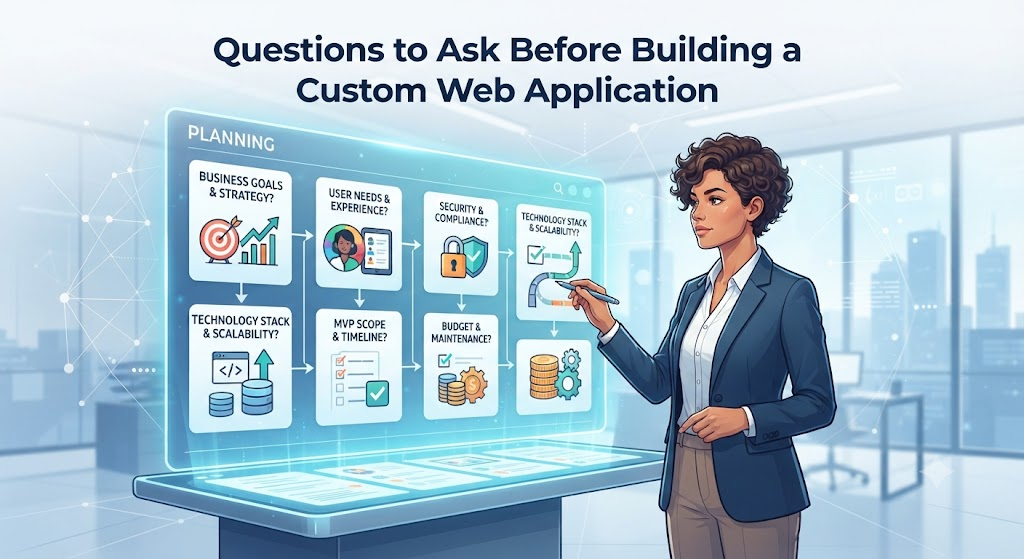
Introduction
Many business owners and project managers rush into software development with high excitement. They hire a development team, share a rough idea, and hope for the best. Months later, they face runaway costs, missed deadlines, and software that users find difficult to navigate.
This happens because teams often skip the most important step: asking deep, hard questions before writing code.
A custom web application is much like building a house. You would not let workers pour concrete without an architectural blueprint, electrical plans, and a clear budget. Software requires the exact same care.
This guide walks you through the essential questions you must answer before building a custom web application. You will learn how to evaluate your needs, spot hidden costs, and make smart decisions that protect your investment.
What Is a Custom Web Application?
A custom web application is software built specifically for a unique business workflow, user group, or product idea. Unlike off-the-shelf software—such as standard word processors or generic customer relationship management (CRM) tools—a custom app is designed from scratch to fit your exact processes.
Why Does It Matter?
Off-the-shelf software forces your business to adapt to the software’s rules. Custom web applications adapt to your rules. They can automate unique tasks, connect with your existing tools, and give your users a distinct experience.
Example
Imagine a local logistics company that handles unusual freight sizes. Standard shipping software might only calculate rates for standard boxes. A custom web application can calculate rates based on weight, irregular dimensions, special handling permits, and specific regional truck routes all in one place.
Why Do Custom Web Application Projects Fail?
Before asking what to build, you must understand why custom projects go wrong. Knowing the common failure points helps you frame better questions during the planning phase.
Most custom software projects fail due to:
- Unclear Requirements: The development team builds what they think you want instead of what you actually need.
- Scope Creep: Constantly adding new features during development, which destroys timelines and budgets.
- Ignoring Maintenance: Treating software like a one-time purchase rather than a living product that needs ongoing care.
- Poor User Adoption: Building a powerful app that users find too confusing to open.
Category 1: Business Goals and Strategy Questions
Your first set of questions must focus on the “why.” If you cannot clearly state why you need the application, you should not build it.
1. What specific business problem does this application solve?
Every feature in your web app should tie back to a real problem. Ask yourself if the problem causes lost revenue, wasted employee hours, or unhappy customers. If a proposed feature does not solve one of these pains, remove it from the initial version.
2. Can existing software solve this problem instead?
Building custom software is expensive and time-consuming. Before starting, check if you can configure existing software, use browser extensions, or connect two existing tools using integration platforms like Zapier. If an off-the-shelf tool can handle 80% of your needs at 10% of the cost, starting there is often the smarter choice.
3. What does success look like in measurable numbers?
Do not rely on vague goals like “making things faster.” Set clear metrics. For example:
- Reduce customer onboarding time from two days to ten minutes.
- Cut manual data-entry errors by 50%.
- Handle 30% more client requests without hiring extra administrative staff.
Category 2: User Experience and Functional Questions
Once you establish the business goal, shift your focus to the people who will actually click the buttons.
4. Who are the primary users, and what is their technical skill level?
An internal tool used by tech-savvy engineers can look very different from a customer-facing portal used by everyday shoppers. Know your audience. If your users are busy or easily frustrated, the interface must be extremely clean, fast, and obvious.
5. What is the Minimum Viable Product (MVP)?
Do not try to build every feature on day one. An MVP is the simplest version of your application that still solves the core problem for your users. Ask yourself: What is the absolute minimum set of features needed to launch a working product? Build that first, gather feedback, and add advanced features later.
6. How will users access the application?
Will they use desktop office computers, tablets in a warehouse, or mobile phones while traveling? While web applications work in browsers, designing a layout that looks and works well on every screen size requires careful planning from the start.
Category 3: Technical and Architectural Questions
You do not need to be a programmer to ask smart technical questions. These questions help you evaluate your development team or technical lead.
7. What technology stack should we use?
The technology stack is the combination of programming languages, frameworks, and databases used to build the application. Ask your developers:
- Why are you choosing these specific tools?
- Are they easy to maintain?
- Can other developers easily take over the code if necessary?
8. How will the application handle future growth?
Scalability is your application’s ability to handle more users and data without slowing down or crashing. Ask how the system will behave if your user base triples overnight. Planning for growth early is cheap; rewriting the entire application later is extremely expensive.
9. Where will the application live, and what are the hosting costs?
Web applications need a server to run on—often cloud providers like Amazon Web Services (AWS), Google Cloud, or Microsoft Azure. Ask your team to estimate monthly hosting costs based on expected traffic. A server that runs fine with ten users might become very expensive when handling ten thousand users.
Category 4: Security, Privacy, and Compliance Questions
Security is not a feature you add at the end; it must be built into the foundation.
10. What kind of sensitive data will the application handle?
If your app stores user passwords, payment card details, medical records, or personal identification numbers, you carry legal and moral responsibilities. Ask:
- How is data encrypted when stored and when moving across the internet?
- Who has permission to view administrative data?
- What happens if someone tries to hack the system?
11. Do we need to follow specific industry regulations?
Depending on your industry and location, your application may need to comply with laws like GDPR (for user privacy in Europe), HIPAA (for healthcare data in the US), or PCI-DSS (for handling credit card payments). Violating these rules can lead to severe fines.
Category 5: Budget, Timeline, and Maintenance Questions
Many projects run out of money right before the finish line because leaders forgot to budget for the future.
12. What is our total budget, including a safety buffer?
Custom software projects almost always encounter unexpected challenges. A good rule of thumb is to add a 20% to 30% financial buffer on top of your initial cost estimate to handle surprises.
13. Who will maintain the application after launch?
Software is never truly “finished.” Browsers update, security vulnerabilities emerge, and users request new features. Ask yourself:
- Will the development agency provide ongoing maintenance?
- Do we need to hire a full-time developer?
- What happens if a critical bug breaks the app on a Sunday morning?
Decision-Making Framework
To turn these questions into action, follow this simple step-by-step decision framework before approving any custom web application project:
- Step 1: Write down the core business problem in one sentence.
- Step 2: Research existing software to confirm no ready-made tool fits your needs.
- Step 3: List the core features required for the MVP (cut out everything else).
- Step 4: Estimate expected user volume and data storage needs.
- Step 5: Define your security and compliance obligations.
- Step 6: Calculate total costs, including a 25% safety buffer and ongoing maintenance.
- Step 7: Review your findings with an experienced technical advisor before hiring a team.
Common Mistakes to Avoid
- Mistake: Letting feature creep take over.
- Why it happens: Excitement builds during development, and everyone adds new ideas.
- The result: Budgets explode and deadlines pass.
- What to do instead: Stick strictly to your MVP for version one. Put new feature requests on a future roadmap.
- Mistake: Skipping user testing until launch day.
- Why it happens: Assuming developers know what users want.
- The result: Users find the app confusing and refuse to use it.
- What to do instead: Show simple screen sketches (wireframes) to real users before writing code.
Key Terms
- API (Application Programming Interface): A messenger that lets different software systems talk to each other and share data.
- Frontend: The part of the web application that users see and interact with in their web browsers.
- Backend: The behind-the-scenes server, database, and logic that powers the application.
- MVP (Minimum Viable Product): The simplest working version of software that delivers core value to early users.
- Scalability: The ability of an application to grow and handle increased traffic or data without breaking.
- Tech Stack: The collection of programming languages, frameworks, and databases used to build software.
- Wireframe: A basic visual guide or sketch of a webpage layout, created before design and coding begin.
Frequently Asked Questions
How long does it take to build a custom web application?
Timelines vary widely based on complexity. A simple internal tool might take 6 to 12 weeks, while a complex, data-heavy platform with many integrations can take 6 months or longer.
Should I hire a freelancer or a development agency?
Freelancers work well for smaller, well-defined projects with lower budgets. Agencies are better suited for large-scale applications because they provide a complete team of designers, developers, project managers, and quality assurance testers.
How much does a custom web application cost?
Costs range from a few thousand dollars for basic web tools to tens of thousands—or even hundreds of thousands—for enterprise platforms. Your budget depends on features, design complexity, and developer hourly rates.
What happens if my requirements change halfway through development?
Changes are common, but they cost time and money. If you must change direction, work with your development team to adjust the timeline and remove an equivalent feature to keep the budget balanced.
Do I own the source code once the application is built?
Yes, in most professional contracts, you should own 100% of the custom source code and intellectual property once final payments are made. Always verify this clause in your development contract.
Conclusion
Building a custom web application is a powerful way to streamline operations, serve customers better, and grow your business. However, success depends far more on careful planning than on raw coding speed.
By asking the right questions about your business goals, target users, technical limits, and ongoing maintenance costs, you can avoid costly surprises. Take the time to plan your project thoroughly, build a focused MVP first, and treat your software as a long-term business asset.
