
Introduction
Many business owners hear about artificial intelligence and feel caught between two extremes. On one side, tech trends claim that AI will magically solve every business problem overnight. On the other side, complex technical jargon makes the entire concept sound like something only massive technology giants can afford.
In reality, bringing AI into your business is not about replacing your entire staff with robots. It is about using smart software to handle repetitive, data-heavy work so your human employees can focus on complex problem-solving, creative strategy, and direct customer relationships.
Whether you run a growing e-commerce store, a service agency, or an enterprise operations team, poor understanding of AI integration leads to wasted software budgets, frustrated employees, and broken customer trust. This article explores how AI integration actually works across customer support, sales, and operations, what pitfalls to watch out for, and how to implement these systems successfully.
What Is AI Integration?
AI integration means embedding machine learning models and intelligent automation tools directly into the software applications your team already uses every day, such as your Customer Relationship Management (CRM) platform, helpdesk ticketing system, or enterprise resource planning tool.
Think of traditional software as a calculator: you press a button, and it gives you a strict, pre-programmed math answer. AI software, by contrast, can recognize patterns, understand human text, predict future outcomes based on historical data, and make decisions when faced with new situations.
For example, a traditional database can tell you how many items sold last Tuesday. An integrated AI system can look at last Tuesday’s sales alongside local weather forecasts, upcoming holidays, and website traffic patterns to suggest how many items you should stock for next Tuesday.
Why AI Integration Matters for Modern Businesses
The business landscape moves faster than ever. Customers expect instant answers at 2:00 AM, sales teams need to contact hot leads before competitors do, and operations teams must manage supply chain delays before they hurt revenue.
AI integration matters because it bridges the gap between massive data generation and human processing limits. Humans are great at empathy, negotiation, and creative strategy, but terrible at manually sorting through millions of rows of transaction data or answering the exact same shipping status question five hundred times a day.
When you integrate AI properly, you gain three major advantages:
- Speed: Tasks that take humans hours—like categorizing support tickets or scoring leads—happen in milliseconds.
- Consistency: Automated AI workflows do not get tired, distracted, or grumpy during a busy shift.
- Scalability: Your business can handle twice as many support requests or sales inquiries without instantly doubling your headcount.
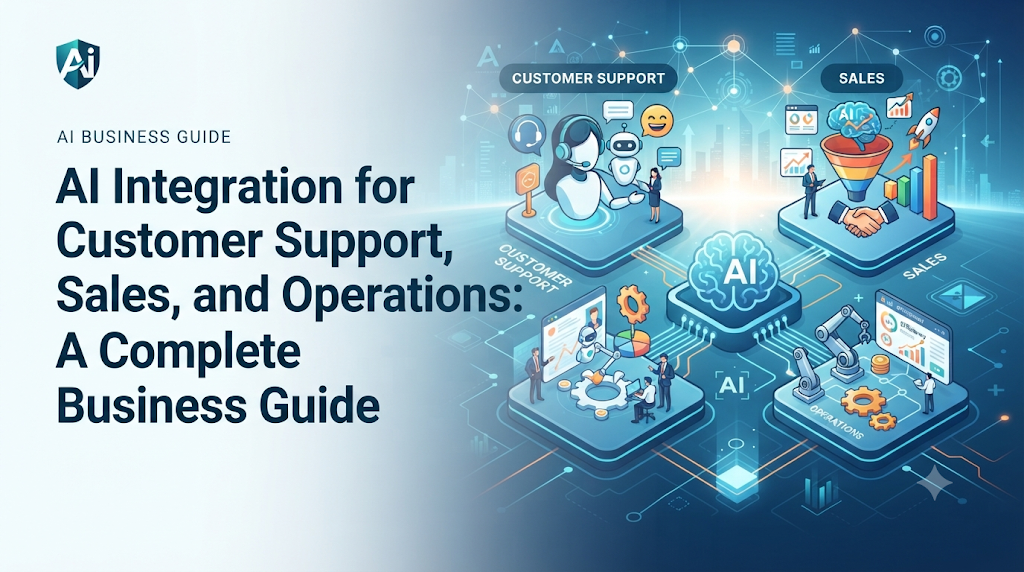
AI Integration in Customer Support
Customer support is usually the first department where companies introduce AI because support teams face high volumes of repetitive questions.
How It Works
Modern customer support AI relies heavily on Natural Language Processing (NLP)—a branch of artificial intelligence that helps computers read, interpret, and generate human language. When a customer sends an email or types into a live chat window, the AI reads the message, understands the customer’s intent, and either provides an instant answer or routes the ticket to the correct human agent.
Practical Application
Imagine an online clothing store. During holiday sales, customers constantly ask: “Where is my order?” or “Can I exchange this shirt for a larger size?”
An integrated AI chatbot connects directly to the inventory and shipping database. When a customer asks about their order, the AI instantly looks up their tracking number and replies with real-time shipping updates without involving a human agent. If the customer asks a complex question—such as “My package arrived damaged and missing an item”—the AI identifies the emotional tone and complexity, gathers the order number and photos, and assigns the ticket to a senior support representative with a high-priority tag.
AI Integration in Sales
Sales teams live and die by timing and data accuracy. Sales AI integration focuses on automating administrative chores and helping reps focus on closing deals.
How It Works
Sales AI tools analyze past customer interactions, email opens, website visits, and phone call transcripts. Using this data, the system performs lead scoring—a process that ranks prospective buyers based on how likely they are to purchase your product or service.
Practical Application
Consider a B2B software company. A sales rep might have two hundred leads in their pipeline. Without AI, the rep has to guess which leads to call first. With an integrated sales AI tool, the CRM automatically highlights the five prospects who visited the pricing page three times today, opened the product whitepaper, and match the ideal company size.
Furthermore, AI transcription tools can listen to sales calls, summarize the main pain points discussed by the prospect, and automatically draft a personalized follow-up email for the sales rep to review and send.
AI Integration in Operations
Operations management covers the invisible engine of your business: inventory control, supply chain logistics, resource allocation, and internal scheduling.
How It Works
Operational AI uses predictive analytics and machine learning algorithms to forecast future demand, spot equipment failure risks, and optimize workflows. Instead of reacting to problems after they happen, operations teams use AI to anticipate bottlenecks.
Practical Application
Take a manufacturing or warehouse logistics company. An integrated AI system monitors machine sensors and historical breakdown rates. If a specific conveyor belt starts vibrating in a pattern that historically precedes motor failure, the AI flags the issue and automatically schedules maintenance during a low-traffic window, avoiding a catastrophic shutdown during peak operating hours.
Key Factors to Understand Before Integration
Before jumping into software purchases, you must understand the foundational elements required for successful AI integration.
- Data Quality: AI models learn from data. If your customer records are full of duplicates, typos, and outdated information, your AI system will make poor decisions—a classic case of “garbage in, garbage out.”
- System Compatibility: Your AI tools must connect smoothly with your existing tech stack through Application Programming Interfaces (APIs). If your customer support AI cannot talk to your billing software, its usefulness drops dramatically.
- Human-in-the-Loop Design: AI should assist humans, not act in total isolation. Critical operational or financial decisions should always require human review and approval.
Common Mistakes in AI Integration
Many companies fail during AI adoption because they fall into predictable traps.
| Mistake | Why It Happens | Consequences | What to Do Instead |
| Automating Broken Processes | Trying to fix a chaotic workflow by throwing software at it. | The AI accelerates mistakes and multiplies customer frustration. | Clean up and standardize your manual workflow before automating it. |
| Ignoring Employee Training | Assuming team members will instantly know how to work alongside AI tools. | Low adoption rates, employee fear of job loss, and wasted software licenses. | Invest time in training staff on how AI assists them rather than replaces them. |
| Chasing Hype Over Utility | Buying expensive generative AI features because they sound trendy. | High monthly software bills with zero measurable return on investment. | Start with small, high-impact problems, such as categorizing support tickets. |
| Neglecting Data Privacy | Feeding sensitive customer or proprietary data into public AI tools. | Compliance violations, data leaks, and loss of customer trust. | Use enterprise-grade, secure AI tools with strict data governance policies. |
Risks and Limitations
While AI integration offers massive rewards, ignoring its inherent limitations creates severe business risks.
Hallucinations and Errors
Generative AI models can occasionally “hallucinate”—confidently generating completely false information that sounds professional and correct. In a customer support setting, a hallucinated policy statement can lead to legal liabilities or angry customers.
Over-Reliance and Skill Decay
If customer support or sales teams rely blindly on AI-generated responses without reading them, the human touch vanishes. Furthermore, if humans stop practicing core problem-solving tasks, their skills degrade over time.
Security and Privacy Vulnerabilities
Connecting AI tools to internal databases opens new entry points for security breaches. Ensuring strict access controls and data encryption is non-negotiable.
Step-by-Step Decision-Making Framework
To decide how and when to integrate AI into your business, follow this structured framework:
- Identify the Bottleneck: Look at your support ticket backlog, sales conversion drop-offs, or operational delays. Find the single most repetitive, time-consuming pain point.
- Audit Your Data: Check whether you have clean, organized data related to that bottleneck. If your data is messy, clean it up first.
- Define Success Metrics: Decide how you will measure success—such as reducing support response time by 50% or increasing lead follow-up speed.
- Choose the Right Tool: Select a software solution that integrates natively with your existing tech stack rather than forcing you to rebuild your systems.
- Run a Controlled Pilot Test: Roll out the AI integration to a small group of users or a single department first.
- Review and Scale: Monitor the results, gather user feedback, fix errors, and gradually expand the integration across the rest of the business.
Key Terms
- API (Application Programming Interface): A software messenger that allows different computer programs and databases to talk to each other.
- CRM (Customer Relationship Management): Software that manages a company’s interactions with current and potential customers.
- Generative AI: Artificial intelligence capable of generating new content, such as text, images, or code, based on training data.
- Lead Scoring: A method used by sales teams to rank prospects based on their perceived value and likelihood to buy.
- Machine Learning: A subset of AI where computer systems learn and improve from experience without being explicitly programmed for every scenario.
- Natural Language Processing (NLP): Technology that helps computers understand, analyze, and manipulate human language.
- Predictive Analytics: Using historical data, statistical algorithms, and machine learning techniques to identify the likelihood of future outcomes.
Frequently Asked Questions
Will AI integration replace my customer support and sales teams?
No. AI handles repetitive, high-volume tasks like answering basic shipping questions or sorting lead data. Human employees are still essential for handling emotional customers, complex negotiations, relationship building, and creative problem-solving.
How much technical expertise does my team need to integrate AI?
Most modern business AI tools are designed with user-friendly dashboards and no-code setups. While you do not need data scientists on staff, having someone comfortable with software configuration and basic workflow automation is helpful.
How long does an AI integration project take?
Simple integrations—like adding an AI chatbot to your support portal—can take a few days. Deep enterprise integrations—like connecting predictive AI across sales, inventory, and operations—can take several months depending on data cleanliness.
How do I ensure customer data remains secure during AI integration?
Choose enterprise-grade software vendors that comply with privacy regulations like GDPR and CCPA. Ensure your agreement states that your company data will not be used to train public AI models.
What is the best department to start AI integration with?
Customer support is usually the best starting point because support tickets follow predictable patterns, making it easy to measure time savings and customer satisfaction improvements.
Conclusion
AI integration is no longer a futuristic experiment reserved for Silicon Valley tech giants. When approached with a clear strategy, it acts as a powerful lever for growth, helping customer support, sales, and operations teams work faster and smarter.
The secret to success lies in avoiding hype, protecting data privacy, and focusing on practical workflows that solve real business bottlenecks. Start small, measure your results, and remember that the ultimate goal of AI is to empower your human workforce to do their best work.
