
Introduction
Many traditional businesses still run on manual approvals, paper spreadsheets, and legacy desktop software. While these systems may feel familiar, they create bottlenecks. When a company grows, manual processes slow down delivery times and increase labor costs.
To stay competitive, organizations are shifting toward digital modernization. Two powerful tools driving this shift are cloud computing and artificial intelligence. However, blending these technologies into everyday operations can seem complicated for business owners and managers.
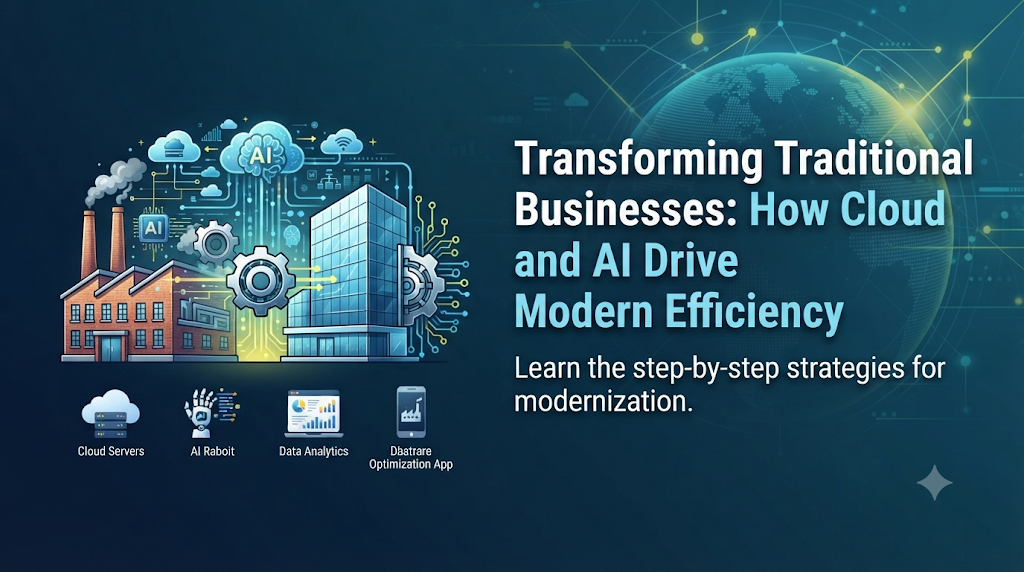
This article explores how cloud computing and artificial intelligence work together to modernize traditional business processes, what benefits they offer, and how companies can adopt them without unnecessary risk.
What Is Business Process Modernization?
Business process modernization is the practice of updating outdated operational workflows using modern digital technologies.
Instead of relying on physical paperwork or isolated local databases, modern systems connect different departments through centralized digital platforms.
Why It Matters
Old workflows waste valuable staff time. When customer data lives in a physical filing cabinet or an unshared computer folder, finding information takes hours. Modernizing these processes removes friction, allowing employees to focus on valuable tasks rather than repetitive chores.
How Cloud Computing and AI Work Together
While cloud computing and AI are distinct technologies, they complement each other naturally.
- Cloud Computing acts as the digital foundation. It provides the storage, computing power, and flexibility needed to run modern applications without expensive local hardware.
- Artificial Intelligence acts as the brain. It processes the data stored in the cloud, learns from patterns, and automates complex decisions.
Example
Imagine a traditional retail company managing inventory. In the past, staff manually counted stock and recorded numbers in a local spreadsheet.
- With cloud computing, inventory data updates in real-time across all store locations and online channels.
- With AI, the system analyzes past sales trends stored in the cloud, predicts future demand, and automatically orders new stock before shelves run out.
Why Traditional Processes Need an Upgrade
Traditional business workflows face several severe limitations that hinder growth.
1. Data Silos
When different departments use separate, unconnected software, communication breaks down. Sales teams cannot see what customer support is doing, leading to duplicated effort and frustrated customers.
2. High Operational Overhead
Manual data entry requires significant labor. Processing invoices, sorting customer support tickets, and managing payroll by hand take up hours that staff could spend on strategic planning.
3. Slower Decision-Making
Without centralized data, managers must wait for weekly or monthly reports to understand business performance. By the time the report arrives, the market may have already shifted.
Key Benefits of Cloud and AI Integration
Modernizing operations brings measurable advantages to organizations of all sizes.
| Benefit | Traditional Approach | Modern Cloud + AI Approach |
| Data Access | Trapped in local computers or paper files | Accessible securely from anywhere in real-time |
| Task Speed | Manual data entry and reviews take days | Automated processing happens in seconds |
| Scalability | Expensive hardware upgrades required | Instant resource adjustments based on demand |
| Insights | Hindsight reporting based on old data | Predictive analytics forecasting future trends |
Practical Examples of Process Modernization
To understand how cloud and AI change daily operations, consider these common business functions:
Customer Support
- Traditional Way: Customers wait days for an email reply, and support agents answer the same basic questions repeatedly.
- Modern Way: Cloud-based helpdesks powered by AI chatbots handle routine questions instantly 24/7. Complex issues route automatically to the right human agent along with a summary of the customer’s history.
Financial Management and Invoicing
- Traditional Way: Accountants manually type invoice data into accounting software, increasing the risk of typos.
- Modern Way: AI-driven document processing extracts data from incoming vendor bills stored in the cloud, checks them against purchase orders, and flags anomalies for review.
Common Mistakes Businesses Make During Modernization
Transitioning to cloud and AI systems is not always smooth. Organizations often make avoidable errors.
- Mistake: Trying to digitize everything at once.
- Why it happens: Excitement over new technology leads to scope creep.
- Result: Employee burnout, budget overruns, and system failure.
- What to do instead: Start with one specific bottleneck, such as invoice processing or customer onboarding, before expanding.
- Mistake: Ignoring employee training.
- Why it happens: Assuming new software is self-explanatory.
- Result: Staff resist the new tools and continue using old manual workarounds.
- What to do instead: Invest in clear training sessions and appoint internal champions to support team members.
Risks and Limitations
Every technology shift carries risks that decision-makers must manage carefully.
- Data Privacy and Security: Moving data to the cloud exposes it to potential cyber threats if security configurations are weak. Companies must use strong encryption and access controls.
- Vendor Lock-In: Relying too heavily on a single cloud provider can make it difficult and expensive to switch services later.
- Implementation Costs: While cloud and AI reduce long-term costs, initial setup, subscription fees, and integration work require careful financial planning.
Decision-Making Framework for Business Leaders
Before upgrading traditional processes, leaders should follow a structured evaluation process:
- Identify the Pain Point: Find the workflow causing the most delays or errors.
- Calculate the Cost: Compare the cost of manual processing against the cost of a cloud and AI solution.
- Assess Team Readiness: Determine if staff have the digital skills to adopt the new tool.
- Choose the Right Partner: Select cloud providers and AI software vendors with strong security and reliable support.
- Test in Phases: Run a small pilot project with a single team before rolling the solution out company-wide.
Checklist for Modernizing Business Processes
- Identify and document the workflow you want to improve.
- Ensure all existing data is organized and clean before migration.
- Consult with IT security to establish data protection protocols.
- Choose cloud software that integrates well with existing tools.
- Provide hands-on training for all employees involved.
- Monitor performance metrics after launch to measure efficiency gains.
Key Terms
- Cloud Computing: Delivering computing services—including data storage, servers, and databases—over the internet.
- Artificial Intelligence (AI): Computer systems built to perform tasks that typically require human intelligence, such as recognizing patterns and solving problems.
- Legacy Systems: Outdated computing software or hardware that is still in use but lacks modern capabilities.
- Data Silo: A collection of information held by one group that is not easily accessible by other groups in the same organization.
- Workflow Automation: Using technology to execute recurring tasks or processes automatically without human intervention.
- Predictive Analytics: Using historical data, statistical algorithms, and machine learning to identify the likelihood of future outcomes.
- Vendor Lock-In: A situation where a customer is dependent on a vendor for products and services, making it hard to change to another vendor.
- Scalability: The capacity of a system to handle a growing amount of work or its potential to be enlarged to accommodate that growth.
FAQs
Do small businesses need AI and cloud tools?
Yes. Cloud tools allow small businesses to access enterprise-grade software without buying expensive physical servers. AI helps small teams automate routine tasks so they can focus on growth.
Is cloud data secure?
Reputable cloud providers invest heavily in advanced security measures, encryption, and compliance standards. Often, cloud data is more secure than data stored on local office computers.
Do I need a technical background to manage these tools?
Most modern cloud and AI platforms feature user-friendly dashboards designed for business users, though having an IT specialist or managed service provider helps with initial setup and security.
How long does it take to modernize a business process?
Timelines vary widely. A simple workflow automation might take a few weeks, while a full digital transformation across a large enterprise can take several months or years.
Will AI replace human employees?
AI typically replaces repetitive tasks rather than entire jobs. It frees staff from manual data entry so they can focus on creative problem-solving, strategy, and customer relationships.
Conclusion
Modernizing traditional business processes with cloud and AI is no longer optional for companies looking to stay competitive. By replacing manual workflows with flexible cloud storage and intelligent automation, organizations can cut operational costs, reduce errors, and make faster decisions. Success depends on starting small, managing security risks, and ensuring your team receives the right training to embrace new ways of working.
