
Introduction
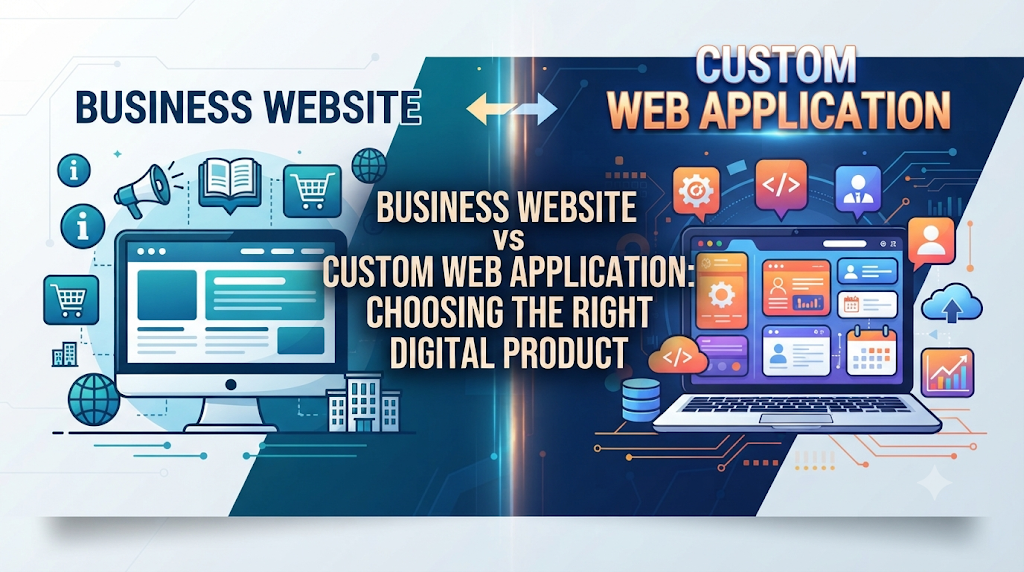
Building a presence online is one of the first steps for any growing company. But many business owners face a major point of confusion early on: do they need a standard business website or a custom web application?
Choosing the wrong option can waste months of time and thousands of dollars. A business owner might hire developers to build a custom software platform when a simple content site would do. Conversely, a startup might try to build a complex software product on a simple blogging platform, leading to severe crashes and security risks.
This guide explains the real differences between a business website and a custom web application. You will learn how each works, when to use them, and how to pick the right option for your project.
What Is a Business Website?
A business website is a collection of online pages designed to represent a company, organization, or individual on the internet.
Simple Meaning
Think of a business website as a digital storefront or a 24-hour brochure. Its main job is to tell people who you are, what you sell, and how they can reach you.
Why It Matters
Most visitors arrive at a business website to find basic information: pricing, office hours, product features, or contact details. If this information is hard to find, visitors leave. A good website builds credibility and turns casual browsers into prospective buyers.
Example
A local bakery has a website featuring photos of cakes, a menu, opening hours, and an address. Customers can read about the bakery and look at pictures, but they cannot place a custom order or track a delivery status on the site.
What Is a Custom Web Application?
A custom web application is an interactive software program that runs in a web browser. Unlike a standard site where everyone sees the same content, a web app responds to user input, processes data, and provides personalized results.
Simple Meaning
A web application is a tool you use rather than just read. It requires user accounts, databases, and business logic to perform specific functions.
Why It Matters
Web apps solve operational problems. They automate tasks, handle transactions, manage user data, and deliver a personalized experience for every person who logs in.
Example
An online project management tool like Trello or Asana is a web application. Users log in, create boards, invite team members, and move tasks around. Every user has a unique workspace and data set.
Key Differences Between Websites and Web Applications
To understand which one you need, it helps to compare how they work under the hood, who uses them, and what goals they achieve.
1. User Interaction
- Business Website: Mostly static or read-only. Visitors read text, watch videos, fill out a contact form, or subscribe to a newsletter.
- Custom Web Application: Highly dynamic and interactive. Users create profiles, upload files, edit data, run reports, and interact with other users in real time.
2. Underlying Architecture
- Business Website: Built on Content Management Systems (CMS) like WordPress, Webflow, or Shopify. These platforms focus on page creation, design themes, and SEO management.
- Custom Web Application: Built using programming frameworks like React, Node.js, Python, or Ruby on Rails. They rely on complex databases, application programming interfaces (APIs), and secure servers.
3. Primary Goal
- Business Website: Marketing, brand awareness, lead generation, and customer education.
- Custom Web Application: Service delivery, workflow automation, user management, and product functionality.
How They Work: Technical Comparison
| Feature | Business Website | Custom Web Application |
| Primary Focus | Information delivery and visual branding | Functionality, data processing, and tasks |
| User Accounts | Rare (usually only for admin or blog authors) | Essential (every user logs in securely) |
| Database Usage | Simple (stores blog posts, text, and images) | Complex (stores user profiles, logs, and transactions) |
| Development Cost | Lower (uses pre-made themes and plugins) | Higher (requires custom coding and software architecture) |
| Maintenance | Regular updates to plugins and themes | Ongoing software patching, security audits, and bug fixes |
When to Build a Business Website
You should build a business website if your main goal is to communicate information to the public.
Suitable Situations
- You run a local service business (plumber, consultant, restaurant, law firm) that needs clients to call or fill out a lead form.
- You are launching a blog, news outlet, or portfolio to showcase creative work.
- You sell a small catalog of physical products and can use an off-the-shelf e-commerce store (like Shopify) without needing custom features.
What Can Go Wrong
Trying to force a business website to act like an app. For example, using a simple blog site to manage user memberships, custom dashboards, and real-time messaging will lead to slow performance and plugin conflicts.
When to Build a Custom Web Application
You should build a custom web application if off-the-shelf software cannot solve your specific operational problem.
Suitable Situations
- You are building a Software-as-a-Service (SaaS) product that customers pay to use.
- Your internal team needs a custom inventory or customer relationship management (CRM) tool tailored to your exact business workflow.
- Your platform requires complex calculations, unique user permissions, or live data synchronization.
What Can Go Wrong
Underestimating the cost and maintenance. Web apps require continuous security updates, database backups, and bug fixes long after the initial launch.
Common Mistakes in Choosing and Building
1. Building Custom Software Too Early
- What people do: Hire developers to build a custom web app from scratch before testing if customers actually want the product.
- Why it causes problems: It drains financial resources on unproven ideas.
- What to do instead: Build a landing page website or a low-code prototype to test market demand before writing custom code.
2. Treating a Web App Like a Static Website
- What people do: Ignore ongoing maintenance, security patches, and server scaling for a web application.
- Why it causes problems: Web apps handle sensitive user data and complex codebases. Ignoring updates leads to security breaches and downtime.
- What to do instead: Budget for monthly maintenance and retain a developer or technical partner for ongoing support.
Decision-Making Framework
Use this simple step-by-step framework to determine which product you need:
- Define Your Primary Goal: Are you trying to inform people or help them do work? (Inform = Website, Do work = App).
- Evaluate User Needs: Do users need personal accounts, dashboards, or data storage? If yes, you need a web app.
- Check Your Budget: Websites are faster and cheaper to launch. Custom web apps require higher initial investments and ongoing operational costs.
- Assess Technical Maintenance: Do you have the internal team or budget to support software updates, server management, and user support?
Key Terms
- Content Management System (CMS): Software that lets users create, manage, and modify content on a website without writing code.
- Database: An organized collection of structured information or data stored electronically in a computer system.
- SaaS (Software-as-a-Service): A software delivery model in which applications are hosted by a vendor and made available to customers over the internet.
- API (Application Programming Interface): A set of rules that allows different software applications to communicate with each other.
- Front-End: The visible part of a website or web app that users interact with directly in their browser.
- Back-End: The server-side of an application that handles databases, user authentication, and business logic.
Frequently Asked Questions
Can a business website turn into a web application later?
Yes. Many companies start with a simple marketing website to build an audience. As they grow, they add a secure login portal or a custom web app sub-domain for their customers.
Is an e-commerce store a website or a web application?
An e-commerce store sits in the middle. Basic online shops function like websites with shopping carts. Large stores with personalized recommendations, user accounts, and inventory management share many traits with web applications.
Which option is better for search engine optimization (SEO)?
Business websites are generally easier to optimize for search engines because their primary purpose is publishing indexable text, articles, and landing pages. Web applications often hide content behind login screens, which search engines cannot crawl easily.
How long does it take to build a business website versus a web app?
A standard business website can be built in a few weeks using modern site builders. A custom web application usually takes several months of planning, design, coding, and testing.
Conclusion
Choosing between a business website and a custom web application comes down to understanding your core objective.
If your goal is to present your brand, share information, and attract leads, a standard business website is the fastest and most cost-effective path. If your goal is to provide software functionality, user accounts, and automated workflows, a custom web application is required. Match your choice to your current business stage, budget, and user needs to build a strong foundation for your digital growth.
