
Introduction
Modern businesses rarely work alone. Whether a company manufactures smartphones, builds software, or runs a retail chain, it relies on a complex web of external suppliers, logistics providers, and independent partners.
Traditionally, managing these relationships involves an endless loop of emails, phone calls, PDF attachments, and disjointed spreadsheets. This fragmented approach causes information silos, delayed updates, and costly mistakes. When a supplier misses an urgent change in material requirements because an email sat in an unread inbox, the entire production schedule stalls.
To solve this, organizations deploy vendor and partner portals. These portals act as a digital bridge between a company’s internal systems and its external ecosystem. They turn chaotic back-and-forth communication into an organized, trackable, and efficient workflow.
What Is a Vendor and Partner Portal?
At its core, a vendor and partner portal is a secure web-based application that gives external business collaborators controlled access to a company’s internal systems or a shared cloud database.
Think of it as a secure digital lobby for your supply chain. Internal employees log in to manage procurement and partnerships, while external vendors and partners log in to view orders, submit invoices, track shipments, and update compliance documents.
Why It Matters
Without a portal, companies rely on manual coordination. A procurement manager must email a purchase order, wait for confirmation, chase the vendor for invoice copies, and manually enter data into an accounting system. A portal automates these touchpoints, saving hours of administrative labor and reducing human data-entry errors.
Practical Example
Consider a mid-sized electronics manufacturer that works with fifty different component suppliers. Instead of handling separate email chains for every screw, circuit board, and casing order, the manufacturer uses a partner portal. Suppliers log in each morning to view new purchase orders, click a button to confirm receipt, and upload shipping notices directly into the system.
How Vendor and Partner Portals Work
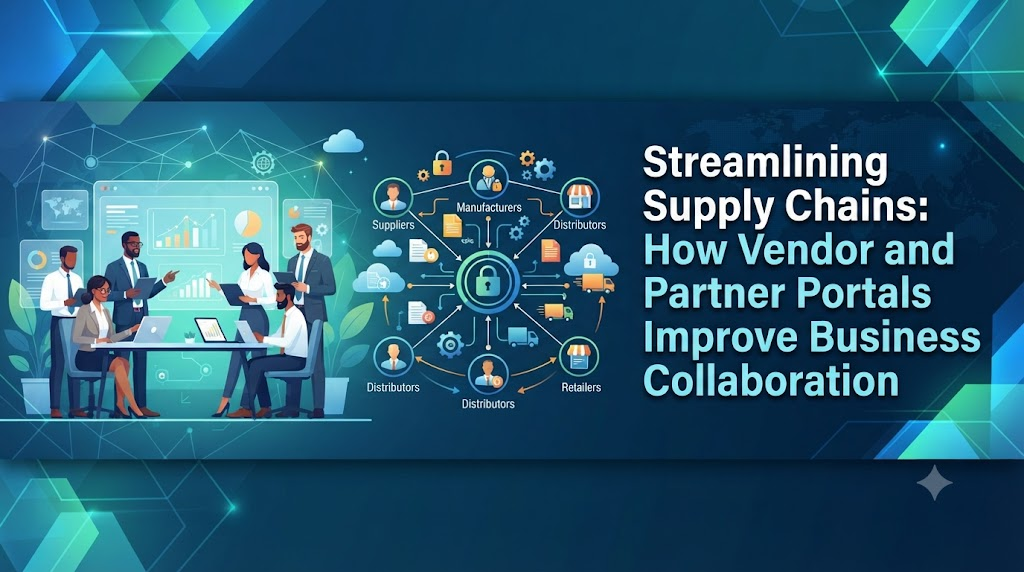
Vendor and partner portals operate as an extension of an enterprise resource planning (ERP) or supply chain management (SCM) system. They rely on role-based access control, automated workflows, and centralized databases to streamline interactions.
[ Internal ERP System ] <---> [ Secure Vendor Portal ] <---> [ External Vendors & Partners ]
1. Secure Authentication
Users log in with unique credentials. Multi-factor authentication (MFA) is typically enforced to protect sensitive corporate data, pricing sheets, and proprietary designs.
2. Role-Based Access Control
Not every partner needs to see everything. A logistics partner only sees shipping schedules and delivery manifests, while a raw material supplier sees purchase orders and inventory demand forecasts.
3. Automated Workflows
When an internal inventory level drops below a set threshold, the system automatically generates a purchase order and surfaces it on the designated vendor’s dashboard. The vendor receives a notification, reviews the specifications, and accepts the order without human intervention.
Why Business Collaboration Fails Without a Portal
To understand the value of a portal, it helps to look at the common failure modes of traditional B2B communication:
- Version Control Issues: Partners work off outdated PDF blueprints or spreadsheets sent via email, leading to production defects.
- Communication Black Holes: Inquiries get buried in personal email inboxes when a staff member goes on leave.
- Delayed Invoice Reconciliation: Matching paper invoices against physical delivery receipts takes weeks, straining cash flow and vendor relationships.
- Compliance Gaps: Expired business licenses, insurance certificates, or safety certifications go unnoticed until an audit or accident occurs.
Key Benefits of Vendor and Partner Portals
Implementing a dedicated portal delivers operational, financial, and strategic advantages across the supply chain.
Improved Operational Transparency
Both parties share a single source of truth. If a shipment is delayed at customs, the status updates instantly in the portal for both the buyer and the vendor, eliminating the need for status-update phone calls.
Accelerated Order-to-Delivery Cycles
Automating purchase order acceptance and shipping notifications reduces lead times. Vendors can acknowledge orders instantly, allowing production to begin sooner.
Enhanced Data Security
Sharing sensitive drawings, pricing models, and financial data via unsecured email exposes a business to cyber threats. Portals encrypt data in transit and at rest, and restrict access strictly to authorized personnel.
Reduced Administrative Overhead
By letting vendors self-serve—such as checking invoice payment statuses or updating their bank details—procurement and finance teams spend less time answering routine inquiries and more time on strategic planning.
Practical Considerations and Implementation Challenges
While portals offer powerful benefits, rolling one out requires careful planning. Ignored challenges can lead to low partner adoption and wasted investment.
Partner Resistance and Digital Literacy
Vendors, especially smaller family-run suppliers, may resist adopting a new software platform if they are accustomed to traditional email or phone orders.
- How to fix it: Provide intuitive user interfaces, clear documentation, multilingual support where necessary, and responsive onboarding assistance.
Integration Complexity
A portal is only as good as its connection to underlying core systems like inventory management, accounting, and manufacturing software. Custom API integrations can be technically complex and expensive.
- How to fix it: Choose modular portal solutions that offer pre-built connectors for major ERP platforms.
Maintenance and Upgrades
Security patches, feature updates, and user permission audits require ongoing technical maintenance from IT teams.
Comparison of B2B Communication Methods
| Feature | Traditional Email & Spreadsheets | Dedicated Vendor/Partner Portal |
| Data Visibility | Fragmented across individual inboxes | Centralized real-time dashboard |
| Security Risk | High (phishing exposure, unencrypted files) | Low (role-based access, encrypted transmission) |
| Audit Trail | Difficult to reconstruct historical changes | Automatic tracking of every action and timestamp |
| Administrative Effort | High manual data entry and follow-up | Automated workflows and vendor self-service |
| Scalability | Breaks down as supplier count grows | Scales efficiently with business growth |
Checklist for Implementing a Portal
Before launching a vendor or partner portal, verify that you have addressed these core operational requirements:
- Define User Requirements: Identify which external partners need access and what specific tasks they must perform.
- Ensure ERP Integration: Confirm that the portal can sync seamlessly with your existing inventory and financial software.
- Establish Security Protocols: Implement role-based permissions and multi-factor authentication.
- Design for Usability: Ensure the interface is clean, mobile-friendly, and simple for non-technical users to navigate.
- Plan Onboarding & Training: Create straightforward guides or video tutorials to help partners transition smoothly to the new platform.
- Set Up Feedback Channels: Create a support mechanism for vendors to report technical bugs or usability issues.
Key Terms
- API (Application Programming Interface): A software bridge that allows different computer systems, such as a portal and an inventory database, to talk to each other.
- ERP (Enterprise Resource Planning): Core software that an organization uses to manage day-to-day business activities like accounting, procurement, and supply chain operations.
- Role-Based Access Control (RBAC): A security method that restricts system access based on the specific responsibilities of an individual user.
- Procurement: The process of finding, acquiring, and purchasing goods or services from external suppliers.
- Single Source of Truth: A data management practice where all stakeholders reference the exact same verified set of information.
- Workflow Automation: The use of software logic to execute multi-step business processes automatically without manual intervention.
FAQs
Why do companies need a vendor portal instead of using email?
Email lacks centralized visibility, secure access controls, and automated tracking. When multiple stakeholders communicate via separate email chains, critical updates get lost, leading to errors and delays. A portal keeps all communications, documents, and order statuses in one secure location.
Are vendor portals difficult for small suppliers to use?
Well-designed portals prioritize simplicity and intuitive navigation. However, supplier adoption depends heavily on initial training and onboarding support. Companies should provide clear guides and responsive technical assistance to help smaller partners adapt.
How do partner portals protect sensitive company data?
Portals protect data using encrypted connections (HTTPS/SSL), secure cloud databases, and strict role-based access controls. Users only see the specific files and data relevant to their authorized business relationship, preventing unauthorized exposure of proprietary information.
Can a vendor portal integrate with existing accounting software?
Yes. Most modern portals are built to integrate directly with enterprise resource planning (ERP) systems and accounting software. This allows invoices submitted by vendors in the portal to flow automatically into financial ledgers.
What is the difference between a vendor portal and a customer portal?
A vendor portal is designed for upstream partners—the suppliers, manufacturers, and service providers who sell goods or services to your company. A customer portal is designed for downstream buyers—the clients and consumers who purchase goods or services from your company.
How long does it take to implement a partner portal?
Implementation timelines vary based on customization needs and existing infrastructure. Out-of-the-box cloud solutions can be deployed in weeks, while heavily customized enterprise portals integrated with legacy systems may take several months.
What happens if a supplier refuses to use the portal?
Supplier resistance is a common adoption hurdle. Businesses typically address this by offering dedicated onboarding support, highlighting the time-saving benefits for the vendor (such as faster invoice processing), and maintaining transitional communication channels until familiarity improves.
Conclusion
Vendor and partner portals do much more than simply digitize paperwork. They transform how organizations connect with their external supply chain, replacing messy email chains and fragmented spreadsheets with a single, secure workspace.
By prioritizing clear visibility, automated workflows, and robust security, businesses can eliminate operational bottlenecks, reduce costly errors, and build stronger, more resilient partnerships for the long term.
