
Introduction
Many businesses now use cloud services for daily work. They store files in the cloud. They run applications in the cloud. They use cloud systems for email, databases, websites, backups, and business tools.
This makes work easier in many cases.
But moving a system to the cloud does not remove risk. A company can still lose data. An account can still be stolen. A system can still stop working. A wrong setting can still expose private information.
This is why businesses need to look beyond the word cloud.
The real question is simple:
Can the cloud service keep business data safe and keep important systems available when they are needed?
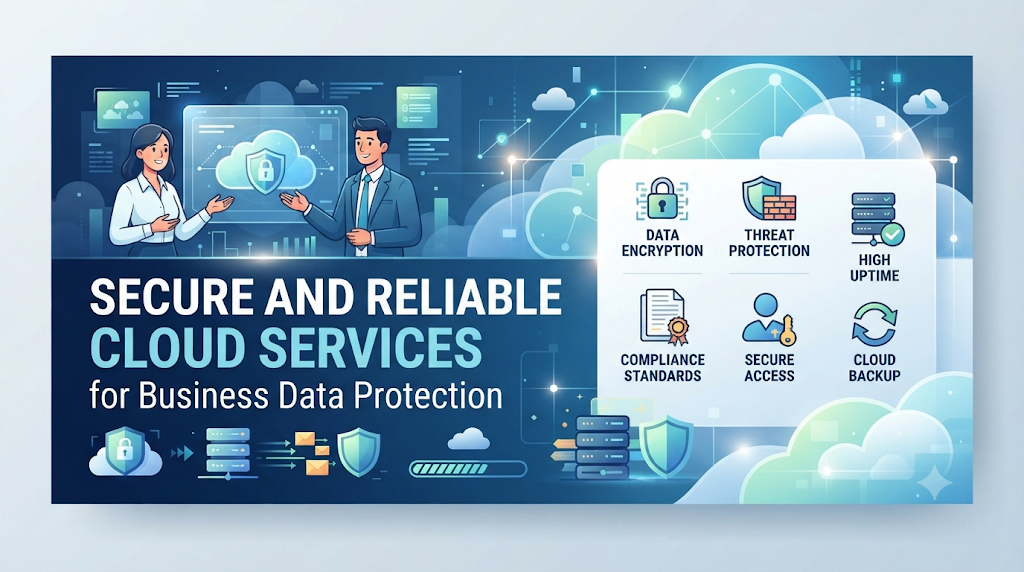
Secure and reliable cloud services help answer that question.
They give businesses a stronger way to protect information, support daily work, reduce downtime, and prepare for unexpected problems.
What Are Secure and Reliable Cloud Services?
Secure cloud services are cloud systems designed to protect data, applications, accounts, and other resources from unwanted access or damage.
Reliable cloud services are systems designed to keep working in a stable and dependable way.
These two ideas are connected, but they are not the same.
What does cloud security mean?
Cloud security means protecting cloud-based systems and information.
It can include:
- User access control
- Password protection
- Multi-factor authentication
- Data encryption
- Network protection
- Security monitoring
- Backup protection
- Threat detection
- Security testing
The goal is to make it harder for the wrong person to access or damage business resources.
What does cloud reliability mean?
Cloud reliability means that a cloud service can keep working as expected.
For a business, this can mean:
- Applications remain available.
- Data can be reached when needed.
- Systems recover after failures.
- Backups are available.
- Important services do not depend on one weak point.
Reliability is not only about avoiding downtime.
It is also about having a plan for what happens when a failure occurs.
Why Cloud Security Matters to Businesses
Business data has value.
That data may include customer details, financial records, employee information, product information, business plans, and internal documents.
If the wrong person gets access to this data, the business may face serious problems.
The damage may include:
- Data loss
- Privacy problems
- Financial loss
- Work delays
- Customer complaints
- Legal issues
- Loss of trust
Cloud security helps reduce these risks.
It does not mean that a business can prevent every attack. No system can promise that.
Instead, good security reduces weak points and makes problems easier to detect and control.
Why Cloud Reliability Matters
Imagine a business that uses an online application for customer orders.
Now imagine that application stops working during a busy business period.
Customers cannot place orders.
Employees cannot check new orders.
Support teams may not have the information they need.
The problem is not only technical.
It can affect the whole business.
This shows why reliability matters.
A reliable cloud system helps reduce the chance that one failure will stop important work.
Security and Reliability Work Together
Security and reliability should not be treated as two separate tasks.
Consider a simple example.
A company protects its cloud account with strong security controls. But it has no backup plan.
A system failure then damages important files.
The files may be secure from unauthorized users, but the business still cannot use them.
Now consider another company.
It has many backups and strong uptime controls. But its cloud accounts have weak passwords.
An attacker gets access to an important account.
The company has a reliable system, but poor security creates another problem.
The lesson is clear:
A strong cloud environment needs both protection and availability.
Main Benefits of Secure and Reliable Cloud Services
1. Better Data Protection
Cloud security controls can help protect important business data.
Encryption can protect information by changing it into a form that is harder to read without the right key.
Access controls can limit who can view or change data.
Together, these controls can reduce the risk of unwanted access.
2. Less Downtime
Downtime means that a system or service is not available.
Even a short outage can affect business work.
Reliable cloud systems use methods such as monitoring, backups, redundancy, and recovery plans to reduce the effect of failures.
3. Better Business Continuity
Business continuity means keeping important work going during a problem.
A business may face:
- Hardware failure
- Software problems
- Cyber attacks
- Human mistakes
- Network problems
- Power issues
- Accidental data deletion
A cloud recovery plan helps the business prepare for these events.
4. Safer Remote Work
Many teams work from different places.
Cloud systems allow employees to access approved resources over the internet.
But remote access also creates security concerns.
Businesses should use strong login controls, access rules, and device protection.
This allows employees to work remotely without giving every user unlimited access.
5. Easier Growth
A growing company may need more storage, users, or computing power.
Cloud services can often be changed as business needs change.
But growth must be planned.
Adding more cloud resources without checking security can create new risks.
6. Better Recovery After Problems
A reliable cloud setup should not only prevent problems.
It should also help the business recover.
This is where backup and disaster recovery become important.
A backup gives the business another copy of important information.
Disaster recovery is the larger plan for bringing systems back after a serious problem.
How Cloud Security Works
Cloud security is not one tool.
It is a group of controls that work together.
Identity and Access Control
Identity and access management controls who can access cloud resources.
A simple rule is:
Give users only the access they need.
For example, an employee who only needs to read a report may not need permission to delete the database behind that report.
This idea is called least privilege.
It reduces the damage that can happen if an account is misused.
Multi-Factor Authentication
Multi-factor authentication, often called MFA, adds another check during login.
A user may need:
- A password
- A phone approval
- An authentication code
- A security key
If someone steals the password, the second check can provide another layer of protection.
Encryption
Encryption protects data by changing it into a coded form.
It can protect data:
- While it is stored
- While it moves between systems
Encryption does not solve every security problem.
But it is an important part of data protection.
Security Monitoring
Businesses should know what is happening inside important cloud systems.
Monitoring can help teams spot:
- Failed login attempts
- Unusual access
- Large data transfers
- Unexpected system changes
- Security alerts
The sooner a problem is noticed, the sooner the business can respond.
How Cloud Reliability Works
Reliability comes from several parts of a cloud environment.
Redundancy
Redundancy means having more than one way to support an important service.
If one component fails, another component may continue the work.
This reduces dependence on a single point of failure.
Backups
Backups provide another copy of important data.
But simply having a backup is not enough.
A business should also ask:
- How often is the data backed up?
- Where is the backup stored?
- Who can access it?
- How long is it kept?
- Has the restore process been tested?
A backup that cannot be restored is not a useful recovery plan.
Monitoring
Monitoring helps teams see the health of systems.
A good monitoring process can detect problems before users notice them.
For example, a business may monitor:
- Application health
- Storage use
- Network performance
- Error rates
- Service availability
- Resource use
Disaster Recovery
Disaster recovery is the plan for restoring important systems after a major failure.
A good plan should define what must be restored first.
A customer-facing application may have a higher priority than an internal test system.
This helps teams focus on the most important business services.
Important Cloud Security Risks
Cloud services are useful, but they still have risks.
Weak passwords
A weak password can make an account easier to attack.
Use strong passwords and MFA for important accounts.
Too much user access
Giving users more access than they need increases risk.
Review permissions often.
Remove access when an employee changes roles or leaves the company.
Wrong cloud settings
A simple configuration mistake can expose data or services.
This is why cloud settings should be reviewed and tested.
Poor backup planning
Some businesses assume that the cloud automatically solves every backup problem.
That is not always true.
The business should understand what the cloud provider protects and what the business must protect itself.
Unchecked third-party access
Businesses often connect cloud systems with other tools.
Each connection can create another access path.
Third-party access should be reviewed and limited.
The Shared Responsibility Model
One important cloud idea is the shared responsibility model.
It means that the cloud provider and the customer may have different security duties.
The provider may protect parts of the physical infrastructure and cloud platform.
The customer may still be responsible for areas such as:
- User accounts
- Permissions
- Data
- Application settings
- Passwords
- Security configuration
The exact responsibility depends on the cloud service and provider.
This is why businesses should read the security and responsibility details of the service they use.
Do not assume that moving data to the cloud means the provider handles every security task.
A Simple Example for a Small Business
Imagine a small company with 25 employees.
The company stores customer files in a cloud system.
At first, everyone receives broad access because it is easier to set up.
This creates a problem.
An employee may be able to view files that are not needed for their job.
The company can improve the setup by creating different access levels.
For example:
- Sales staff can access sales files.
- Finance staff can access financial records.
- Managers can access approved reports.
- Administrators can manage system settings.
The company can also add MFA and review access regularly.
These steps do not require a complicated security design.
They require clear rules and regular checks.
Common Mistakes Businesses Should Avoid
Mistake 1: Thinking the cloud is automatically secure
Cloud providers invest heavily in security, but customers still have responsibilities.
Better approach: Understand which security tasks belong to the provider and which belong to the business.
Mistake 2: Giving everyone administrator access
This creates unnecessary risk.
Better approach: Give each user only the permissions needed for their work.
Mistake 3: Never testing backups
A backup may exist but still fail during recovery.
Better approach: Test restoration at planned intervals.
Mistake 4: Ignoring old user accounts
Former employees or unused accounts can become security risks.
Better approach: Remove or disable accounts that are no longer needed.
Mistake 5: Choosing a service only because it is cheap
Price matters, but it is not the only factor.
Better approach: Check security, reliability, support, recovery, service limits, and total cost.
Mistake 6: Forgetting human error
Not every security problem comes from a hacker.
An employee can delete data, share information with the wrong person, or change an important setting by mistake.
Better approach: Use clear access rules, training, approval steps, and recovery controls.
How Businesses Can Choose a Cloud Service
Choosing a cloud service should start with business needs.
Do not start with the question:
“Which cloud service is the most popular?”
Start with:
“What does our business need this service to do?”
Then check the following areas.
Security
Ask:
- How is data protected?
- Does the service support MFA?
- How are user permissions managed?
- What security logs are available?
- How are security incidents handled?
Reliability
Ask:
- How is service availability managed?
- What happens if a component fails?
- What recovery options are available?
- How are backups handled?
Cost
Look beyond the starting price.
Check:
- Storage costs
- Usage costs
- Support costs
- Backup costs
- Data transfer costs
- Extra security features
- Long-term growth costs
A low starting price does not always mean a low total cost.
Support
A business should know where to get help when something goes wrong.
Check support hours, response options, documentation, and escalation processes.
Compliance
Some businesses have legal or industry rules for handling data.
The company should check whether the cloud service supports the requirements that apply to its business and location.
A Practical Cloud Security Checklist
Before moving important business data to a cloud service, check these points:
- Use MFA for important accounts.
- Create clear user roles.
- Give users only needed access.
- Protect sensitive data with encryption.
- Set up regular backups.
- Test data restoration.
- Monitor important systems.
- Review user permissions.
- Remove unused accounts.
- Keep a recovery plan.
- Record important cloud settings.
- Review third-party connections.
- Train employees on basic security.
- Check provider responsibilities.
- Review costs as usage grows.
This checklist is not a replacement for a full security program. It is a simple starting point.
How to Improve Cloud Reliability Over Time
Cloud reliability is not something a business sets once and forgets.
Systems change.
Users change.
Applications change.
Business needs change.
That means reliability should be reviewed over time.
Start by identifying the most important business services.
Then ask:
What happens if this service stops working?
Next, decide:
- How quickly does it need to return?
- What data could be lost?
- What backup is available?
- Who responds to the problem?
- How will customers be informed if needed?
Regular testing can reveal problems before a real emergency happens.
What Businesses Should Measure
Businesses need clear signs that their cloud systems are working well.
Useful measures may include:
Availability
How often is the service available?
Recovery Time
How long does it take to restore an important service?
Recovery Point
How much recent data could the business lose after a serious failure?
Security Events
How many important security events are being detected?
Failed Access Attempts
Are there unusual login attempts or access patterns?
Backup Success
Are backups completing as planned?
Restore Success
Can the business actually restore the data?
These measures give teams a better view of real cloud health.
When a Cloud Service May Not Be the Right Choice
Cloud services are useful for many businesses, but moving everything to the cloud is not always the right answer.
A business may have special requirements related to:
- Data location
- Legal rules
- Existing systems
- Network limits
- Cost
- Hardware requirements
- Industry controls
- Internal skills
In some cases, a hybrid approach may make more sense.
A hybrid cloud uses both cloud and on-site systems.
The right choice depends on the business problem.
The goal should not be to use the cloud simply because it is popular.
The goal should be to build a system that fits the business.
How to Build a Better Cloud Strategy
A simple process can help.
Step 1: List important data
Know what data the business owns.
Step 2: Identify important applications
Find the systems that the business cannot easily work without.
Step 3: Identify risks
Look at security, downtime, data loss, access, and human error.
Step 4: Set access rules
Decide who needs access to each system.
Step 5: Create backup rules
Decide what needs to be backed up and how often.
Step 6: Create a recovery plan
Write down what the team should do after a major failure.
Step 7: Test the plan
Do not wait for a real incident to discover that the plan does not work.
Step 8: Review the setup
Cloud environments change over time.
Review security, cost, access, and reliability on a regular basis.
Key Terms to Know
- Cloud Computing: Using computing resources through a network instead of relying only on local systems.
- Cloud Security: Methods used to protect cloud systems and data.
- Reliability: The ability of a system to keep working as expected.
- Availability: How often a service is ready for use.
- Encryption: Turning data into coded information to help protect it.
- MFA: An extra security check used during login.
- Access Control: Rules that decide who can use a system or resource.
- Backup: A separate copy of data used for recovery.
- Disaster Recovery: A plan for restoring systems after a serious failure.
- Redundancy: Having additional resources that can help when one part fails.
- Downtime: A period when a service is unavailable.
- Least Privilege: Giving users only the access they need.
- Hybrid Cloud: A setup that uses both cloud and on-site systems.
- Monitoring: Watching system activity and health to detect problems.
Frequently Asked Questions
Why are secure cloud services important for businesses?
They help protect business data, accounts, applications, and other resources from security threats and unwanted access.
Why is cloud reliability important?
Reliable cloud services help keep important business systems available and reduce the effect of failures and downtime.
Is cloud computing completely secure?
No system is completely free from risk. Cloud security depends on the provider, customer settings, user behavior, access controls, and other factors.
Does the cloud provider handle all security?
No. Security duties are often shared between the cloud provider and the customer. The exact duties depend on the service.
How can a business protect cloud data?
A business can use access controls, MFA, encryption, backups, monitoring, strong account security, and regular reviews.
Why are cloud backups important?
Backups give businesses another copy of important data. They can help with recovery after accidental deletion, system failure, or other problems.
What is the difference between cloud security and cloud reliability?
Cloud security focuses on protection. Cloud reliability focuses on keeping systems available and working as expected. A strong cloud environment needs both.
Can small businesses use secure cloud services?
Yes. Small businesses can use cloud security controls such as MFA, access rules, backups, encryption, and monitoring. The controls should match the business needs and risks.
How often should cloud security be reviewed?
There is no single schedule for every business. Security should be reviewed when systems, users, applications, risks, or business needs change. Regular reviews are also useful.
What is the biggest cloud security mistake?
There is no single mistake that affects every business. Common problems include excessive user access, weak account protection, poor configuration, and failure to test backups and recovery.
Conclusion
Secure and reliable cloud services are important because businesses depend on their systems every day.
Security helps protect data and accounts.Reliability helps keep services available. Backups help with recovery. Access controls reduce unnecessary access. Monitoring helps teams notice problems.
A good cloud strategy brings these pieces together.
Businesses should not choose cloud services based only on price or popularity. They should look at security, reliability, recovery, support, cost, access, and business needs.
The most important step is to understand what the business depends on.
Once those systems and risks are clear, it becomes easier to decide what needs protection, what needs backup, and what must be restored first after a failure.
