
Introduction
Many business owners feel intense pressure to adopt artificial intelligence. Tech news headlines constantly claim that companies must embrace AI immediately or risk going out of business.
At the same time, the technical jargon can feel overwhelming. Terms like neural networks, large language models, and machine learning make AI sound like a science fiction movie rather than a practical business tool. This creates a difficult gap: business owners know they should use AI, but they struggle to figure out what it actually does for their daily operations.
Poor implementation often leads to wasted money on software tools that employees never use. This guide cuts through the hype. It explains practical AI integration use cases for small and mid-sized businesses in simple, clear language, helping you find real solutions that save time and increase revenue without unnecessary risk.
What Is AI Integration for SMBs?
AI integration means adding artificial intelligence software and tools into your existing business systems—like your website, customer database, or accounting software—so they can perform tasks automatically.
Simple Meaning
Think of AI integration as hiring a digital assistant that never sleeps. It reads your incoming emails, organizes your customer data, and spots trends in your sales numbers much faster than a human can.
Why It Matters
For a small team, time is your most expensive asset. If your employees spend hours copying data from invoices into a spreadsheet, your business is losing money on manual labor. AI handles these repetitive digital tasks so your team can focus on talking to customers and growing the business.
Example
Imagine a local bakery that also sells cakes online. Instead of having a staff member manually reply to every customer asking, “What time do you close?” or “Do you have gluten-free cupcakes?”, an AI chatbot on their website answers those questions instantly, day and night.
High-Impact AI Integration Use Cases for SMBs
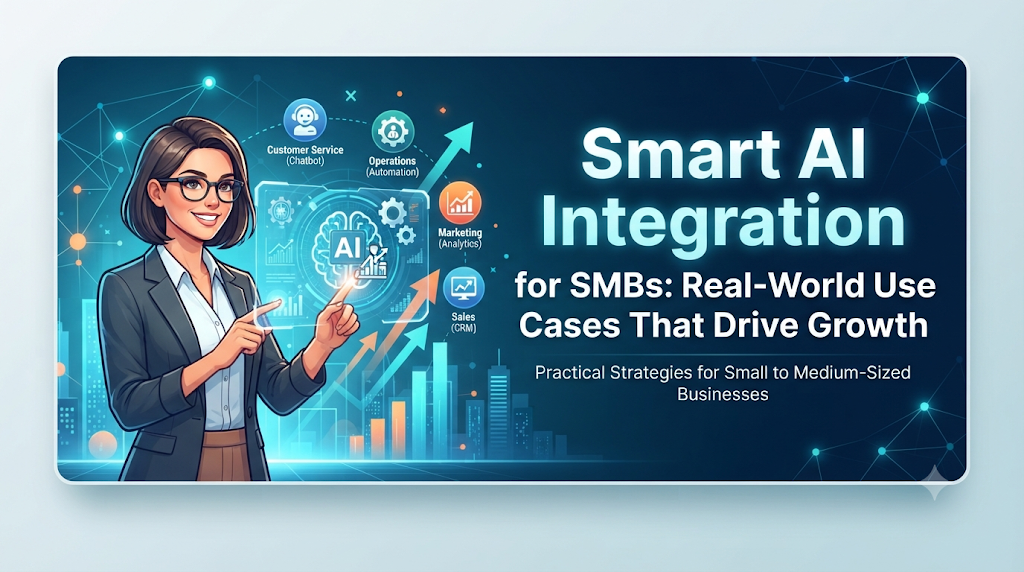
You do not need to build complex custom software to benefit from AI. Ready-made tools can integrate directly into your current daily workflow. Here are four practical ways small and mid-sized businesses use AI today.
1. Automated Customer Support and FAQ Handling
Customer support takes up hours of staff time every week. Many customer questions are repetitive.
- What it does: AI chatbots connect to your website or messaging apps. They read customer questions and provide instant, accurate answers based on your return policy, store hours, or product manuals.
- Why it matters: Customers hate waiting hours for an email reply. Instant answers lead to higher customer satisfaction and more completed sales.
- When to use it: If your team receives a high volume of repetitive support tickets that slow down your core operations.
2. Smart Lead Scoring and Sales Tracking
Sales teams often waste time chasing leads that will never buy, while hot prospects wait for a callback.
- What it does: AI analyzes past customer behavior, website visits, and email interactions to score incoming leads. It tells your sales team which potential buyers are most likely to purchase today.
- Why it matters: Your sales staff can focus their energy on high-value conversations instead of cold calling random contacts.
- When to use it: When your lead volume is too high for your sales team to manually vet every single inquiry.
3. Inventory and Demand Forecasting
Ordering too much stock ties up your cash flow. Ordering too little leaves customers angry when items are out of stock.
- What it does: Machine learning algorithms study your past sales history, local weather patterns, upcoming holidays, and seasonal trends to predict how much inventory you will need next month.
- Why it matters: It prevents you from tying up money in dead stock while ensuring popular items stay on your shelves.
- When to use it: If your business sells physical products with seasonal demand swings or short shelf lives.
4. Content Creation and Marketing Drafts
Marketing requires a constant stream of blog posts, social media updates, and email newsletters, which can exhaust a small marketing team.
- What it does: Generative AI tools help brainstorm content ideas, outline blog posts, and write first drafts of marketing emails.
- Why it matters: It breaks through writer’s block and lets a single marketer produce the output of a small agency.
- When to use it: When you struggle to maintain a consistent online presence due to limited staff.
How AI Integration Works in Practice
Integrating AI does not require writing code. Most modern business tools—like Shopify, QuickBooks, HubSpot, or Salesforce—already have built-in AI features or connect easily with third-party automation tools like Zapier.
Here is what a typical integration workflow looks like:
- Data Collection: Your business systems gather customer interactions, sales records, or support emails.
- AI Processing: The AI model analyzes this data to spot patterns, classify support tickets, or draft responses.
- Human Review: For sensitive tasks like financial reporting or major customer complaints, the system pauses and asks a human employee to approve the AI’s output.
- Action: The system executes the task, such as sending an email, updating a CRM record, or generating a weekly sales report.
Common Mistakes SMBs Make with AI
Rushing into AI without a plan often leads to frustration. Watch out for these common operational pitfalls:
| Common Mistake | Why It Happens | The Problem It Causes | What to Do Instead |
| Buying too many tools at once | Excitement over shiny new features | Employees get overwhelmed and ignore the software | Pick one specific problem—like slow email replies—and solve that first. |
| Trusting AI without human review | Assuming AI is always accurate | Embarrassing customer emails or incorrect data entries | Always keep a human in the loop to review high-stakes outputs. |
| Ignoring data privacy | Not reading software terms of service | Leaking confidential customer data or trade secrets | Never paste sensitive client financial data into public AI chat windows. |
| Expecting instant perfection | Believing AI works like magic on day one | Giving up too early when initial results are imperfect | Treat AI like a new employee; it requires training and prompt tuning over time. |
Step-by-Step Decision Framework for Business Owners
Before spending money on AI software, run through this simple decision checklist to make sure you are making a smart investment:
- Step 1: Identify a bottleneck. Find the task that wastes the most staff time each week. Is it data entry, customer support, or writing social media posts?
- Step 2: Check existing tools. Check if the software you already use (like your email provider or CRM) has built-in AI features you can turn on for free.
- Step 3: Calculate the return on investment (ROI). Estimate how many hours the AI tool will save. If it saves 10 hours a week, is the monthly subscription cost worth it?
- Step 4: Test on a small scale. Run a two-week pilot program with a small group of employees before rolling the tool out company-wide.
- Step 5: Monitor and refine. Track whether the tool actually solves the problem or just adds unnecessary complexity.
Key Terms
- Artificial Intelligence (AI): Computer systems designed to perform tasks that typically require human intelligence, such as reasoning, problem-solving, and understanding language.
- Automation: Using software to run repetitive digital tasks without human intervention.
- Chatbot: A software program designed to simulate conversation with human users, especially over the internet.
- CRM (Customer Relationship Management): Software that manages all your company’s relationships and interactions with customers and potential customers.
- Generative AI: A type of AI that can create new content, including text, images, audio, and video, based on simple user prompts.
- Lead Scoring: A methodology used to rank prospects against a scale that represents the perceived value each lead represents to the organization.
- Machine Learning: A branch of AI focused on building applications that learn from data and improve their accuracy over time without being explicitly programmed.
- Pilot Program: A small-scale, short-term trial used to evaluate feasibility and performance before a full rollout.
- Return on Investment (ROI): A metric used to evaluate the financial efficiency of an investment compared to its cost.
- Workflow: A choreographed and repeatable pattern of business activity enabled by the systematic organization of resources into processes.
Frequently Asked Questions
Do I need a technical background to use AI in my business?
No. Modern business AI tools are designed for non-technical users. If you can use email or online shopping, you can learn to use business AI tools.
Is AI too expensive for a small local business?
Many basic AI features are included for free in standard business software. Standalone AI tools often start at modest monthly subscription fees, making them accessible even for solo entrepreneurs.
Will AI replace my human employees?
For small and mid-sized businesses, AI rarely replaces staff. Instead, it eliminates tedious administrative work, allowing your current team to handle more customer-facing and revenue-generating tasks.
Is customer data safe when using AI tools?
It depends on the software vendor. Always check privacy policies to ensure your business data is not used to train public AI models. For sensitive data, use enterprise-grade versions with strict confidentiality guarantees.
How do I know if an AI tool is actually working?
Track clear metrics before and after implementation. Measure changes in customer reply times, hours spent on weekly data entry, or the number of support tickets resolved without human help.
Where is the best place for a small business to start with AI?
Start with customer support automation or content drafting for marketing. These areas offer the fastest setup time and deliver immediate, measurable time savings.
Conclusion
Practical AI integration is not about turning your business into a high-tech laboratory. It is about removing daily operational friction so your team can focus on what matters most: serving your customers. By picking one clear bottleneck, testing a simple tool, and keeping human oversight in place, small and mid-sized businesses can harness the power of artificial intelligence safely and profitably.
