
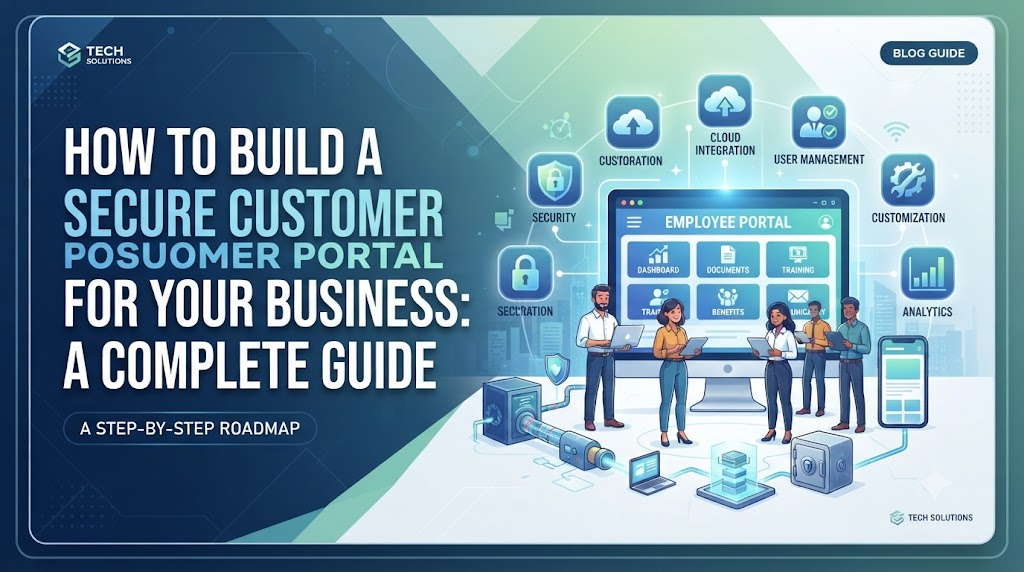
Introduction
Many growing businesses spend hours every day answering the same customer questions. Clients call to ask about tracking numbers, request old invoices, or check the status of a project. This constant back-and-forth drains valuable time from your team.
A customer portal solves this problem by giving clients a 24/7 self-service space. Instead of calling your office, a client can log in, download a document, or check project progress in seconds.
However, opening a digital door to your clients also creates security risks. If your portal is poorly built, hackers can steal sensitive customer data, destroy your reputation, and cause legal trouble. This guide explains how to build a secure customer portal that protects user data while remaining simple and easy to use.
What Is a Customer Portal?
A customer portal is a password-protected website or web application designed specifically for your clients. Think of it as a secure digital branch office for each customer.
While your public website is open to everyone, a customer portal requires a secure login. Once inside, the client sees a dashboard tailored just for them.
- Simple meaning: A private website where your clients can manage their account, pay bills, and view files safely.
- Why it matters: It saves time for your support team and gives clients instant access to what they need, whenever they want it.
- Example: When you log into your online banking app to check a receipt, you are using a financial customer portal.
Why Your Business Needs a Customer Portal
Managing customer relationships through regular email often leads to chaos. Files get lost, messages get deleted, and sensitive information travels insecurely across the internet.
A portal brings order to this process. It centralizes all communication and document sharing in one place. Clients no longer have to search through hundreds of emails to find a receipt from six months ago.
Furthermore, a well-designed portal builds trust. When clients see that your business invests in a professional, secure platform to handle their private data, they feel safer doing business with you.
How a Customer Portal Works
Behind the scenes, a customer portal connects several technical components to keep data safe and organized.
- Authentication: The client enters their username and password. The system checks these details against a secure database to confirm their identity.
- Authorization: Once logged in, the system checks what the user is allowed to see. A regular client should only see their own files, while an administrator can see everything.
- Database Integration: The portal connects to your business systems, such as billing software or inventory databases, to pull real-time updates for the user.
- Encryption: Any data moving between the client’s browser and your server is scrambled so hackers cannot read it.
Essential Features of a Secure Portal
To be useful, your customer portal should include a few core features:
- User Dashboard: A clean home screen showing recent updates, notifications, and quick links.
- Document Vault: A safe place to upload and download invoices, contracts, and reports.
- Support Ticketing: A built-in messaging system where clients can report issues and track responses.
- Profile Management: A section where clients can update their billing info and passwords.
Security Best Practices for Your Portal
Security is the most important part of building a customer portal. If client data leaks, the consequences can destroy your business. Use these practices to keep your portal safe.
1. Enforce Multi-Factor Authentication (MFA)
Passwords alone are no longer enough. Hackers can guess them or steal them through phishing attacks. Multi-factor authentication requires users to provide two forms of proof before logging in—usually a password plus a temporary code sent to their phone.
2. Encrypt Data in Transit and at Rest
Encryption scrambles your data so it looks like gibberish to outsiders. Ensure your portal uses HTTPS (SSL certificates) for data moving across the internet. Also encrypt your database so that even if a thief steals your hard drives, they cannot read the customer files inside.
3. Implement Strict Access Controls
Every user should only have access to what they need. This is known as the principle of least privilege. If a bug or hacker compromises one client account, they must not gain access to data belonging to other clients.
4. Keep Software Updated
If you build your portal using open-source software or content management systems, security patches are released frequently. Install these updates immediately to close newly discovered security holes.
Common Mistakes to Avoid
Many businesses make avoidable errors when launching their first portal.
- Building from scratch when unnecessary: Writing custom code for every feature is expensive and introduces security bugs. Instead, use established, secure portal frameworks or software-as-a-service (SaaS) platforms.
- Ignoring mobile users: Many clients will try to check your portal from their smartphones. If the layout breaks on mobile screens, they will call your support team anyway.
- Neglecting user feedback: If clients find the login process too frustrating or the interface confusing, they simply won’t use it. Test your portal with real users before launching it publicly.
Risks and Limitations
A customer portal is not a magic solution for every business problem. Consider these trade-offs before starting development:
- Ongoing maintenance: Portals require constant monitoring, updates, and user support.
- Adoption hurdles: Some clients, especially older or less tech-savvy ones, may resist using a new portal and prefer traditional phone calls or emails.
- Initial cost: Building or subscribing to a secure portal solution requires a financial investment in software and security testing.
Decision-Making Framework
Use this step-by-step framework to decide how to build your portal:
- Define your requirements: List the exact tasks your clients need to perform (e.g., download invoices, view project status).
- Evaluate build vs. buy: Compare the cost of building a custom portal with subscribing to ready-made customer portal software.
- Assess security capabilities: Ensure your chosen platform supports modern security standards like MFA and data encryption.
- Plan for support: Make sure your team has the capacity to help clients who forget their passwords or struggle to log in.
- Test thoroughly: Run security scans and usability tests before inviting your first batch of customers.
Checklist for Launching Your Portal
- Choose a secure hosting provider or SaaS portal platform.
- Enable HTTPS and enforce strong SSL configurations.
- Set up Multi-Factor Authentication (MFA) for all user accounts.
- Test user permissions to ensure clients cannot view other users’ data.
- Write clear help documentation or video tutorials for your clients.
- Perform a basic security test to check for common vulnerabilities.
Key Terms
- Authentication: The process of verifying who a user is, usually through a username and password.
- Authorization: The process of verifying what a logged-in user is allowed to see or do.
- Encryption: Scrambling data into an unreadable format to protect it from unauthorized access.
- Multi-Factor Authentication (MFA): A security process where a user provides two or more verification factors to gain access.
- SaaS (Software as a Service): A software delivery model where applications are hosted by a provider and accessed online via a subscription.
FAQs
How much does it cost to build a customer portal?
Costs vary wildly depending on your approach. Ready-made SaaS portal tools can cost anywhere from $20 to $200 per month. Building a custom portal from scratch with a development agency can cost several thousand dollars.
Is it safe to store customer files in a portal?
Yes, as long as the platform uses proper encryption, secure cloud storage, and strict access controls. Always check the security compliance certifications of your hosting provider.
How do I get my clients to actually use the portal?
Make the onboarding process smooth. Send a welcome email with clear, simple instructions on how to log in, and explain how the portal saves them time.
Can I integrate a customer portal with my existing CRM?
Most modern portal solutions offer plugins or API connections that let you sync data automatically with popular customer relationship management (CRM) and billing tools.
What should I do if a user forgets their password?
Provide a secure, automated password reset feature via email. Never send existing passwords in plain text, as passwords should always be securely hashed in your database.
Conclusion
Building a secure customer portal is a powerful way to professionalize your operations, protect sensitive data, and save your team countless hours of support work. By prioritizing strong authentication, data encryption, and simple user design, you can create a digital space that your clients will trust and use every day. Focus on getting the security fundamentals right from day one, and scale your portal’s features as your business grows.
