
Introduction
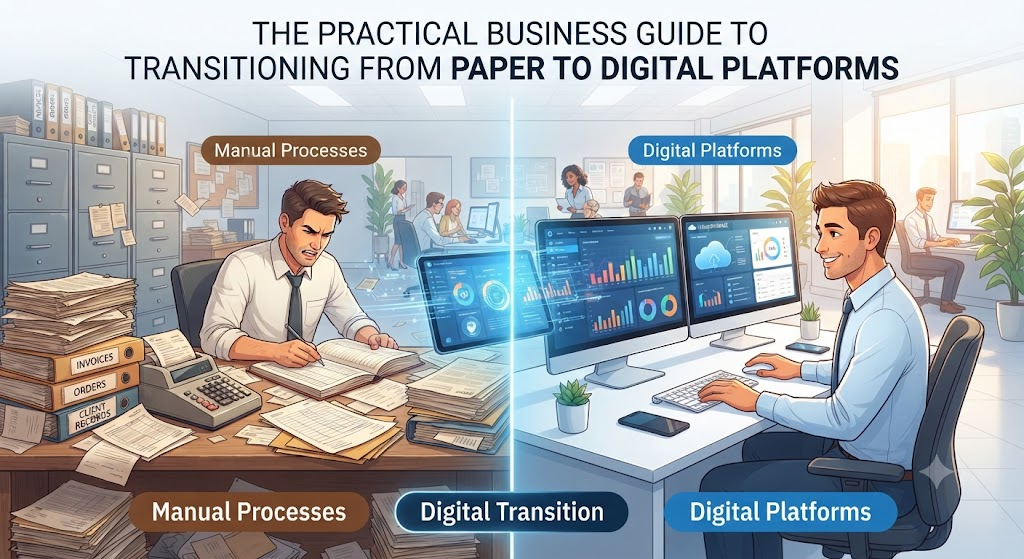
Imagine running a busy local bakery. Every morning, orders arrive via phone calls, sticky notes, and text messages. Your staff writes them down in a paper ledger. At the end of the week, someone spends hours adding up sales, checking inventory, and calculating employee hours by hand.
Now, imagine a customer calls to change an order, but the paper note is buried under a stack of receipts. Mistakes happen, ingredients run out unexpectedly, and valuable hours slip away on paperwork instead of baking.
This scenario happens in offices, warehouses, and service companies every day. Businesses rely on manual habits because they feel familiar and safe. However, as customer demands grow faster and competition increases, paper-based workflows and disconnected spreadsheets create hidden bottlenecks.
Moving to digital platforms is no longer just a luxury for massive tech corporations. It is a practical necessity for businesses of all sizes that want to survive, stay efficient, and grow without burning out their teams.
What Is a Digital Platform?
A digital platform is a centralized software system or cloud-based environment where business data, communication, and workflows live in one place.
Instead of keeping customer records in a filing cabinet, inventory counts in an Excel sheet, and invoices in an email folder, a digital platform connects these functions. When a customer places an order online, the platform instantly updates the inventory, notifies the shipping team, records the sale for accounting, and sends a receipt to the customer.
Why It Matters
Manual processes trap information in silos. One department does not know what another is doing. A digital platform acts as a single source of truth, ensuring that everyone in the company works with the same up-to-date information.
How Manual Processes Hold Businesses Back
Before looking at the benefits of digital platforms, it helps to understand why manual processes become dangerous as a business grows.
1. High Risk of Human Error
Humans get tired, distracted, and overwhelmed. Typing a number incorrectly into a spreadsheet or misreading handwriting on an invoice can lead to delayed shipments, incorrect billing, and unhappy customers.
2. Information Silos
When data lives on individual computers, paper notebooks, or personal email accounts, it is difficult to share. If a key employee is out sick, finding a crucial customer document can grind operations to a halt.
3. Slower Response Times
Manual approval chains take time. If an expense report requires three physical signatures, it might sit on a desk for days. Modern customers and partners expect fast, frictionless communication.
4. Limited Visibility
Business owners cannot manage what they cannot measure. Piecing together weekly or monthly reports from scattered paper records means leaders are often making important financial decisions based on outdated guesses.
Why Businesses Should Move to Digital Platforms
Transitioning to digital workflows offers powerful operational advantages.
Automation of Repetitive Tasks
Digital platforms automate routine jobs like sending invoice reminders, updating stock counts, and scheduling follow-up emails. This frees staff to focus on creative problem-solving and customer care.
Better Scalability
Handling ten customer orders a day on paper is manageable. Handling one hundred orders manually requires hiring more administrative staff just to push paper. A digital platform scales effortlessly, handling higher transaction volumes without a proportional increase in overhead costs.
Enhanced Security and Backup
Filing cabinets can catch fire, and office laptops can break. Cloud-based digital platforms encrypt data and maintain automatic backups, protecting sensitive business and customer information from physical disasters.
Important Factors to Understand Before Moving
Transitioning to digital platforms is a major operational change. Business leaders must evaluate several key factors to ensure success.
Workflow Mapping
Before buying software, map out how your current processes actually work. Do not digitize a broken, inefficient process; fix the workflow first, then apply technology to it.
User Adoption
The most advanced software is useless if employees refuse to use it. Involve your team early in the evaluation process. Choose tools with clean, intuitive interfaces that require minimal training.
Integration Capabilities
A business rarely uses just one piece of software. Your accounting tool, customer relationship management system, and email marketing software need to talk to each other. Look for platforms that offer easy integrations or application programming interfaces.
Practical Examples
Example 1: Inventory Management
- Manual Way: A retail store manager walks the aisles once a week, counts items on shelves, writes them on a clipboard, and types them into a spreadsheet. Halfway through the week, an item sells out unexpectedly because nobody noticed the high demand.
- Digital Way: A point-of-sale digital platform updates inventory in real time with every sale. When stock dips below a certain threshold, the system automatically alerts the manager or generates a purchase order for the supplier.
Example 2: Expense Approvals
- Manual Way: An employee prints out a receipt, staples it to a paper form, hands it to their manager for a physical signature, and delivers it to accounting. If a receipt gets lost, the employee has to track it down.
- Digital Way: The employee snaps a photo of the receipt with a smartphone app, uploads it instantly, and the manager approves it with one tap on their phone. Accounting processes the reimbursement digitally.
Real-World Considerations and Trade-Offs
While digital platforms offer massive benefits, transitioning requires careful management of realistic challenges.
Implementation Costs and Subscriptions
Moving to digital tools involves software licensing fees, setup costs, and sometimes paid consulting help. However, these costs are usually offset by labor savings and error reduction over time.
Disruption During Transition
Switching systems can temporarily slow down operations as employees learn new habits. Planning a phased rollout rather than changing everything overnight helps minimize downtime.
Common Mistakes Businesses Make
- Choosing Software Based on Price Alone: Buying the cheapest tool often results in missing features, poor support, and security vulnerabilities. Choose software that matches your actual operational needs.
- Ignoring Employee Training: Expecting staff to adopt new software without proper onboarding leads to frustration, resistance, and workarounds that defeat the purpose of the platform.
- Automating Broken Processes: Putting a digital wrapper around a messy, inefficient workflow just helps you make mistakes faster. Clean up your business rules first.
Risks and Limitations
- Vendor Lock-in: Moving massive amounts of data from one proprietary platform to another can be difficult and costly. Always ensure you can export your data easily.
- Cybersecurity Awareness: While cloud platforms are generally secure, weak employee passwords or phishing attacks can expose company data. Implementing multi-factor authentication is mandatory.
Decision-Making Framework
Use this simple step-by-step framework to evaluate whether your business is ready to upgrade a process:
- Step 1: Identify bottlenecks where work slows down or errors happen frequently.
- Step 2: Calculate how many staff hours are lost to manual data entry or searching for paper files each week.
- Step 3: Research software options that specifically address those bottlenecks.
- Step 4: Test the software with a small pilot team before rolling it out company-wide.
- Step 5: Measure results after thirty days to confirm time and cost savings.
Checklist for Digital Transition
- [ ] Audit current manual workflows to identify pain points.
- [ ] Define clear goals for what the digital platform needs to achieve.
- [ ] Involve key team members in software selection and testing.
- [ ] Plan data migration and clean up old records before importing them.
- [ ] Establish security protocols like multi-factor authentication and user permission levels.
- [ ] Schedule regular training sessions for employees during rollout.
Key Terms
- Cloud Computing: Storing and accessing data and software programs over the internet instead of on your computer’s hard drive.
- Integration: The ability of different software systems to communicate and share data automatically.
- Workflow: A repeatable series of steps involved in completing a specific business task.
- API (Application Programming Interface): A bridge that allows different software applications to talk to each other.
- Single Source of Truth: A practice of structuring data so that every department references the exact same trusted set of information.
- Data Migration: The process of moving stored data from legacy systems or paper files into a new digital platform.
- User Adoption: The rate at which employees successfully learn and regularly use new software tools.
- Scalability: The ability of a system or business to handle growing amounts of work smoothly.
FAQs
Why should small businesses move away from spreadsheets and paper?
Spreadsheets and paper work well for very small tasks, but they break down as data grows. They lack real-time visibility, are prone to human entry errors, and cannot easily be shared securely among multiple team members.
Is transitioning to a digital platform expensive?
Costs vary depending on company size and software complexity. While subscription fees and setup require investment, businesses typically save money over time by reducing labor hours, eliminating paperwork waste, and preventing costly operational mistakes.
How long does a digital transition take?
A simple transition, like moving to cloud accounting software, can take a few days. Migrating an entire enterprise to integrated digital platforms can take several months. A phased rollout helps keep daily operations running smoothly.
What if my employees struggle with new technology?
Resistance to change is normal. Choosing intuitive software, providing hands-on training, and explaining why the change benefits their daily work helps build confidence and smooth adoption.
Do digital platforms replace human workers?
No. Digital platforms take over repetitive administrative tasks like data entry and file sorting, freeing employees to focus on meaningful problem-solving, customer relationships, and strategic growth.
How do I secure sensitive data on a digital platform?
Choose reputable cloud providers with strong encryption standards, enforce strict password policies, and use multi-factor authentication for all user accounts.
Can I customize digital platforms to fit my specific business?
Many modern platforms offer customizable fields, workflows, and modular add-ons. Some platforms even allow custom integrations via APIs to fit unique business needs.
Conclusion
Moving from manual processes to digital platforms is more than an IT upgrade; it is a fundamental shift in how a business operates. By replacing paper ledgers and disconnected spreadsheets with centralized, automated workflows, companies protect themselves against costly human errors and gain the visibility needed to grow.
Start by identifying your most frustrating operational bottleneck, clean up the workflow, and take the first step toward a connected, scalable digital future.
